Your cart is empty.

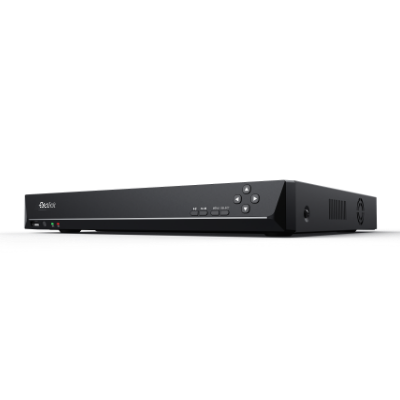
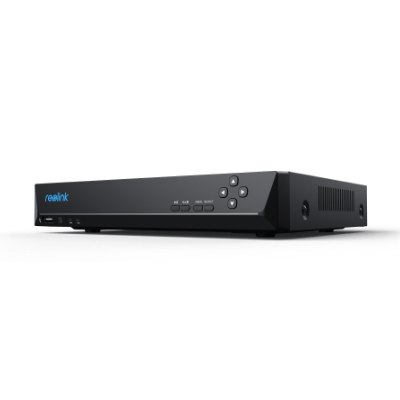
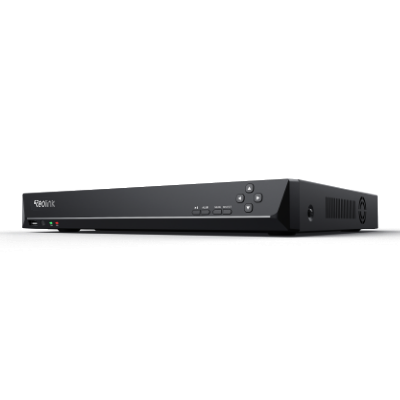
A Network Video Recorder (NVR) is a centralized security hub that receives, records, and manages high-definition video footage from IP cameras over a local network. At Reolink Canada, our Reolink NVR systems deliver continuous 24/7 video surveillance with massive local storage capacity (up to 48TB) and zero monthly subscription fees. Whether you need a hardwired PoE system, a plug-and-play Wi-Fi NVR for your home, or a commercial-grade 36-channel NVR recorder for a business, Reolink provides the ideal unit to secure your property
No Product Found
Keep complete ownership of your security video without recurring cloud subscriptions. Reolink NVRs support massive local surveillance hard drive storage (with select models expandable up to 48TB) to continuously record all your cameras 24/7. Save weeks of uncompressed 4K footage locally on-site, ensuring your private family or business moments stay off paid cloud servers.
Set up your multi-camera system with absolute ease. No installer required! Reolink Power over Ethernet (PoE) NVRs feature built-in rear ports that supply power and data over a single cable. Just plug the camera in, and video appears instantly. For wire-free home setups, Reolink Wi-Fi NVRs automatically discover and pair with your connected cameras over your local wireless network.
Find crucial footage in seconds instead of scrubbing through hours of video. Reolink NVRs index smart person, vehicle, and pet alerts sent from your cameras directly onto the local timeline. Filter events by vehicle or person on the Reolink phone app, desktop client, or a connected HDMI monitor with zero lag.
Start small and expand your camera system whenever you are ready. Reolink offers flexible NVR sizes, from compact 8-channel units ideal for standard home perimeters, up to 16-channel and 36-channel hubs designed for larger residential yards, detached workshops, or retail storefronts.
NVR stands for Network Video Recorder. It is a specialized security system that receives digital video streams from IP (Internet Protocol) cameras over a computer network (via Ethernet cables or Wi-Fi). Unlike older DVRs that process video at the recorder box, an NVR relies on smart cameras to encode footage, acting as a centralized hub to store high-definition video feeds, run AI searches, and manage multi-camera playback.
Because it connects directly to your network, an NVR allows you to effortlessly monitor multiple areas at once, ensuring your home, retail shop, or large property remains completely secure from one unified system.
There are different kinds of NVR systems. You pick one based on how you want to place your cameras and what your area is like. The two main kinds are PoE NVR systems and Wireless NVR systems. Each connects to cameras in its own way.
- PoE NVR systems: PoE means Power over Ethernet. Only one cable is used in this system to supply power and deliver video to the cameras. It translates into a reduced number of cables to contend with. An example is in a small office where the setup is easy since the number of wires is limited. It is useful where it is difficult to add many wires or when it is too expensive.
- Wireless NVR systems: Wi-Fi is the means by which wireless NVR systems connect to cameras. You can install cameras everywhere, provided they have Wi-Fi. This comes in handy in locations that do not have a working power source or network plugs nearby. However, it requires a powerful Wi-Fi connection. It is great at homes or places where wiring can not be installed easily.
NVRs have many tools that help you watch over places. These tools let you record, look at, and handle videos in ways that work for you. Here are some important ones that make NVRs a smart choice for safety.
- 24/7 recording: NVRs can record videos day and night without stopping. This catches everything that happens. For example, a shop owner can check at any time to see if something went wrong. It makes sure nothing gets missed. The NVR saves all the videos on its storage for later.
- Multiple viewing on one screen: An NVR lets you watch videos from lots of cameras on one screen together. This helps guards keep an eye on different places without switching screens. For example, a guard can see the front door, the parking lot, and the back door all at once. It saves time and spots problems fast.
- Backup/Download recordings: NVRs let you save videos to local storage devices such as hard drives or MicroSD cards. This is useful if you need to share them with the police or keep them as proof. For example, if something bad happens, you can easily access to the footage.
- Motion detection recording: You can also set motion detection, which means the NVR records only when it sees something move. It saves space by not recording when nothing's happening. For example, if someone walks by at night, the NVR starts recording. Later, you can check just the parts with action, which speeds things up. It's a clever way to focus on what matters.
- Expandable storage: NVRs let you add more space for videos if you need it. You can expand hard drives or use other storage options. For instance, if you start with four cameras and later get ten, the NVR can handle more video with extra space. This keeps the system useful even if you change things.
- Central management: NVR will work as the main hub of all your cameras. You are allowed to alter settings, view the live videos, or review the saved ones in the same place. This enables the system to be easy to operate. Not only the cameras that you have, but even the number of cameras does not matter because you control everything through the NVR, and it saves a lot of time and energy.
DVRs and NVRs both record videos to watch over places, but they work differently. Here are the main ways they're not the same:
- Cameras: DVRs use old-style cameras that send videos through special cables. NVRs use new digital cameras that send videos through internet cables or Wi-Fi.
- Video Quality: NVRs with digital cameras give sharper videos. DVRs with old cameras give less clear images.
- Setup: DVRs need separate cables for power and video, which can get messy. NVRs, especially PoE ones, use one cable for both, making it easier.
- Adding Cameras: It's simpler to add cameras to an NVR—just connect them to the network. DVRs might need more parts or cables for extra cameras.
- Extras: NVRs have more tools, like watching videos online or getting alerts when something moves, because of the digital cameras. DVRs have fewer tools due to the old cameras.
The best NVR depends on what you need. Think about how many cameras you want, how much space you need for videos, and how much money you can spend. A small home might need a simple NVR for four cameras. A big business might need one for sixteen or more. Brands like Reolink make good NVRs. Pick one based on your situation. Check the video quality and storage size before you buy.
A Network Attached Storage or NAS is a server device that stores all types of data, such as video or documents, on a network. An NVR supports only videos from special cameras. A NAS can support video storage; however, it lacks the tools of motion detection, camera control, and other features of the NVRs. An NVR is designed to observe locations, and thus it is more suitable for the work of security.
Yes, NVRs can take the place of DVRs in many cases. They give better videos, are easier to set up, and have more tools. People like them for new systems. If you start fresh, an NVR with digital cameras is a good pick. But if you already have old cameras, switching to an NVR means buying new cameras too. That can cost more, so some people stick with DVRs for what they already have. Over time, NVRs will likely be used more as digital cameras become more common.
To connect a standard PoE Reolink NVR to the internet for remote smartphone viewing, simply run an Ethernet cable from the NVR's LAN port directly to your home router. If you use a Reolink Wi-Fi NVR, the unit can connect to your home router wirelessly over dual-band Wi-Fi, eliminating the need to place the NVR right next to your modem. Find out more from our How to Connect Reolink Products to the Network or Internet Guide.
An NVR is not strictly required for every setup, but the choice depends on your recording requirements:
Choose an NVR if: You want continuous 24/7 recording across 4 or more cameras, desire weeks of local hard drive storage, or want a centralized system free of cloud fees.
Choose Standalone Cameras if: You only need 1 or 2 cameras (such as a Video Doorbell or a single Wi-Fi Camera). These can record motion events directly to an onboard microSD card without an NVR.
Selecting the correct NVR for your security setup depends on channel capacity, power connection type, and required recording retention:
Channel Count (8-Ch, 16-Ch, or 36-Ch): Select an NVR that accommodates your current camera count while leaving room for future expansion. If you plan to install 5 or 6 cameras, choose an 8-channel NVR so you can add extra cameras later without replacing your central hub.
PoE vs. Wi-Fi NVR: Choose a PoE NVR if you are running Ethernet cables through walls or soffits for maximum network stability. Choose a Wi-Fi NVR if you are deploying plug-in Wi-Fi or battery-powered cameras across your home network without running data cords.
Hard Drive Storage Capacity: Calculate required storage based on video resolution and retention goals. A single 4K camera recording continuously 24/7 uses approximately 100GB of storage per day. An 8-channel system with a 2TB hard drive provides roughly 2.5 to 3 days of continuous 24/7 4K recording across all channels (or weeks of storage if set to motion-triggered recording).
Camera Compatibility: Ensure your NVR matches your camera hardware. Reolink NVRs are optimized for plug-and-play integration with Reolink PoE and Wi-Fi IP cameras, while also supporting standard ONVIF-compliant third-party cameras.


Be Prepared, Be Ahead
Never miss Reolink hot deals, news, and updates tailored for you.
Be Prepared, Be Ahead
Never miss Reolink hot deals, news, and updates tailored for you.

Google, Google Play, Google Assistant and related marks and logos are trademarks of Google LLC. Amazon, Alexa and all related logos are trademarks of Amazon.com, Inc. or its affiliates. Mac and Safari are trademarks of Apple Inc. App Store is a service mark of Apple Inc., registered in the U.S. and other countries. Firefox and the Firefox logo are trademarks of the Mozilla Foundation in the U.S. and other countries. Other product and company names mentioned herein may be trademarks of their respective companies.