Your cart is empty.

Browse Reolink IP cameras with high-resolution video, night vision, smart motion detection, and remote viewing. Choose from PoE, WiFi, and 4G options to build an IP security camera system for your home or business, with reliable 24/7 monitoring and flexible local storage.
No Product Found
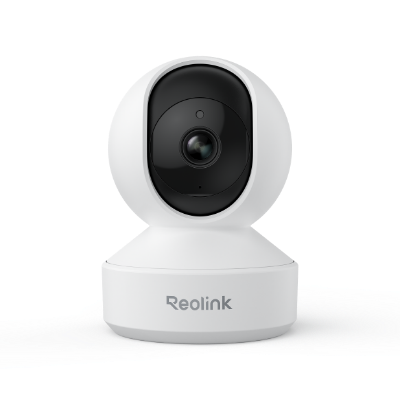
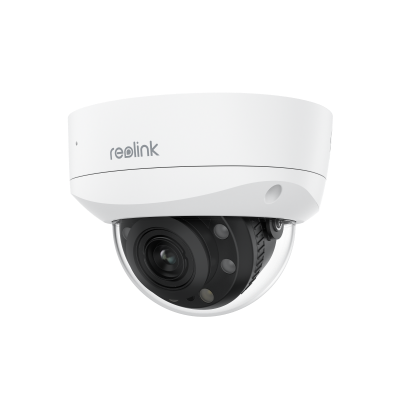
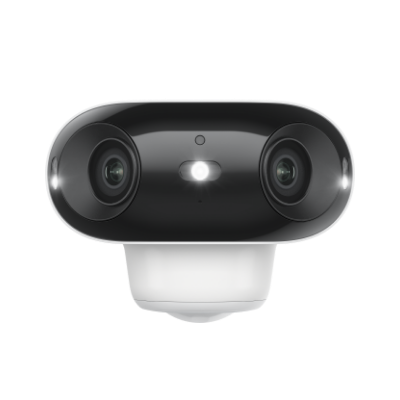
From compact indoor IP cams to weather-resistant outdoor models, Reolink offers camera options for homes, offices, stores, driveways, yards, and other monitoring scenarios.
Reolink IP cameras are available in 2K, 4K, and higher-resolution options, helping capture clearer details around entrances, driveways, yards, stores, and other monitored areas.
Choose PoE IP cameras for stable power and data over one Ethernet cable, WiFi IP cameras for flexible installation without Ethernet data wiring, or 4G LTE cameras for remote locations where WiFi is unavailable.
Many Reolink IP cameras support AI detection for people, vehicles, and animals, helping reduce unnecessary alerts and making important events easier to find.
Depending on the model, Reolink IP cameras can record to microSD cards, NVRs, or Home Hub, giving users flexible local storage without requiring a mandatory monthly subscription.
Reolink IP cameras can support different recording modes, including continuous, scheduled, and motion-triggered recording, depending on the camera and storage setup.
The best Reolink IP camera depends on your connection type, coverage needs, and installation environment.
- For stable wired monitoring: Choose a Reolink PoE IP camera for reliable power and data over one Ethernet cable, ideal for homes, stores, and other permanent installations.
- For flexible WiFi installation: A Reolink WiFi IP camera works well for indoor rooms, garages, entrances, and other areas where running Ethernet is inconvenient.
- For remote locations without WiFi: A Reolink 4G LTE IP camera is a better fit for farms, cabins, job sites, and other off-grid areas that need cellular connectivity.
- For large-area coverage: Choose a PTZ IP camera when you need pan, tilt, zoom, or tracking across yards, parking areas, and other wide spaces.
- For whole-property monitoring: A multi-camera Reolink IP camera system with an NVR is suitable for centralized 24/7 recording across multiple locations.
IP cameras function as digital video cameras that transmit data through computer networks and internet connections. Unlike analog CCTV cameras, IP cameras convert images and video into digital data, which IP networks transfer similarly to standard digital information. Security camera footage from IP cameras can be accessed remotely by monitors located around the world through internet connections.
IP security cameras capture video and encode it digitally before transmitting it over IP networks. A video encoder converts signals into digital data, while compression algorithms help reduce file size and minimize quality loss. IP cameras commonly use H.264 and H.265 video encoding standards for efficient transmission and storage.
Network hardware allows IP cameras to connect to local networks and the internet using WiFi, Ethernet LAN, or Power over Ethernet (PoE). PoE technology enables Ethernet cables to simultaneously deliver both power and data.
Video management software handles recording, storage, and video feed management. Users can access live and recorded footage via computer and mobile applications. To ensure compatibility across different systems, modern IP cameras also adhere to industry standards like ONVIF and RTSP.
There are different types of IP cameras available depending on the connectivity, power, and video features required for a specific application:
Wireless IP Camera: Wireless IP cameras are powered by batteries or solar panels and connect to the internet wirelessly. These cameras are easy to install since they don't require power cables or Ethernet connections.
PoE IP Camera: PoE IP cameras receive both power and network connectivity through a single Ethernet cable. Most commercial IP camera systems use PoE cameras and NVRs because they offer a convenient cabling solution and a continuous power supply.
WiFi IP Camera: WiFi IP cameras connect to wireless networks to transmit video footage, eliminating the need for Ethernet cables. Plug-in WiFi cameras require access to a nearby power outlet. These cameras are popular with consumers because they utilize existing home WiFi networks for video transmission.
IP Camera System: A complete IP camera system consists of multiple networked cameras that transmit video data to either an NVR or VMS. The cameras operate via LAN and internet protocols to transmit data, which software manages for recording, remote viewing, video analytics, and other management tasks. These surveillance solutions scale to fit various needs, from small businesses to large enterprises and smart cities.
Key factors to consider when selecting the right IP security camera include:
Video resolution – Common resolutions range from 720p to 4K. Higher megapixels provide more image detail, even in budget IP cameras.
Lens type – Choose between motorized or fixed lenses. Varifocal and motorized zoom lenses offer more framing flexibility than wide or narrow fixed lenses.
Night vision quality – Distance and picture clarity at night are crucial. Most night vision IP cameras feature infrared black-and-white night vision, though some models offer color night vision.
Outdoor IP rating – Water, dust, and impact resistance are essential for outdoor installation. Look for an IP rating of IP65 or higher.
Budget – Consider upfront costs and any ongoing fees for cloud storage subscriptions. Professional installation can also add to the total cost.
Viewing your IP security camera remotely involves just a few simple steps:
Step 1: Connect the IP camera to your local WiFi router or Ethernet network. This enables the camera to transmit data over your home or office IP network.
Step 2: Ensure the camera and NVR (if applicable) are accessible over the internet. This often requires port forwarding on your internet router.
Step 3: Install the mobile app or client software provided by your IP camera manufacturer on your viewing device. Apps are available for Android and iOS smartphones and tablets.
Step 4: Access your camera through the app or software interface. Enter your IP camera's credentials to connect and view real-time video. The app should automatically detect IP cameras on the local network.
Step 5: You can now view live video feeds from one or multiple IP cameras on your computer or mobile device. Features like pan-tilt-zoom typically require a mouse and keyboard for control.
IP stands for Internet Protocol, which allows security cameras to connect to internet protocol networks, enabling them to identify themselves and communicate with other networked devices.
All WiFi cameras are IP cameras because they use internet protocols for wireless connectivity. However, any digital security camera that uses internet protocol for transmission qualifies as an IP camera, regardless of the network type.
Absolutely! Most IP cameras offer mobile applications compatible with Android and iOS devices, including smartphones and tablets. These apps let you view both live and recorded video footage from your IP cameras anytime, anywhere.
Yes, IP cameras can function without an internet connection. However, without internet access, viewing is limited to local monitoring through an on-site NVR and monitor. Without internet, you cannot remotely access footage or use cloud storage features. A reliable internet connection is required for remote viewing and cloud-based recording.
The best IP camera app depends on your camera and platform. Manufacturer apps such as the Reolink App are typically best for full device controls, while tinyCam Monitor, Blue Iris, and other ONVIF/RTSP-compatible software are useful for managing supported third-party or multi-brand IP cameras. Always check camera compatibility before choosing an app.
Yes. The Reolink Argus 4 Pro is designed for outdoor use with an IP66 weatherproof rating and an operating temperature range of 14°F to 131°F (-10°C to 55°C). Its wire-free design, 4K 180° view, Wi-Fi 6 connectivity, and optional solar charging make it suitable for areas such as driveways, yards, and entrances.


Be Prepared, Be Ahead
Never miss Reolink hot deals, news, and updates tailored for you.
Be Prepared, Be Ahead
Never miss Reolink hot deals, news, and updates tailored for you.

Google, Google Play, Google Assistant and related marks and logos are trademarks of Google LLC. Amazon, Alexa and all related logos are trademarks of Amazon.com, Inc. or its affiliates. Mac and Safari are trademarks of Apple Inc. App Store is a service mark of Apple Inc., registered in the U.S. and other countries. Firefox and the Firefox logo are trademarks of the Mozilla Foundation in the U.S. and other countries. Other product and company names mentioned herein may be trademarks of their respective companies.