Your cart is empty.

A wireless security camera system with remote viewing connects cameras over Wi-Fi or other wireless networks, so you can watch live video and check recordings from your phone wherever you have internet access. Reolink systems offer HD and 4K video, smart person and vehicle detection, flexible local storage, and remote access through the Reolink App without mandatory monthly fees. Ideal for monitoring homes, driveways, backyards, vacation properties, and small businesses.
No Product Found
View your cameras remotely through the Reolink app or Client whenever your system is connected to the internet.
Get real-time notifications when the cameras detect people, vehicles, pets, or other relevant activity.
Wireless connectivity reduces complicated cabling, making the system easier to place around homes, offices, and small businesses.
Listen and speak through supported cameras to greet visitors, warn intruders, or check on family members and pets.
Save recordings locally to a microSD card or Home Hub without requiring a monthly subscription.
Monitor live feeds, review recordings, and adjust camera settings from a single Reolink interface.
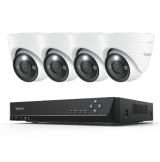
- For 24/7 Whole-Home Recording — Reolink RLK12-800WB4: This 4K Wi-Fi NVR kit is ideal for homeowners or small businesses that need continuous recording, centralized storage, and remote access to multiple cameras. Through the Reolink App or Client, you can view live feeds, play back NVR recordings, and receive smart alerts from anywhere.
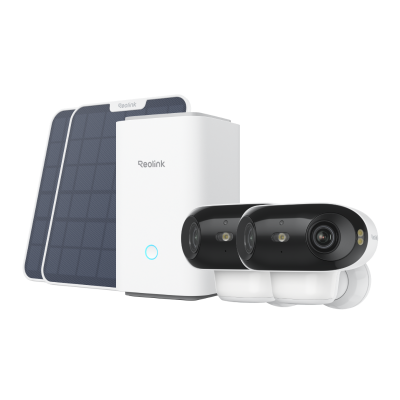
- For Flexible Battery-Powered Security — Reolink Argus 4 Pro + Home Hub Kit: This wireless security camera system with remote viewing is better for renters, garages, backyards, or locations without nearby outlets. The battery-powered Argus 4 Pro offers a 180° panoramic view, while the Home Hub provides encrypted local storage and centralized camera management without a mandatory subscription.
A wireless security camera system with remote viewing connects cameras to your Wi-Fi network, NVR, or Home Hub and lets you access live video and recordings through a mobile app or desktop client. When the system is connected to the internet, you can monitor your property, receive motion alerts, use two-way audio, and play back saved footage from virtually anywhere.
“Wireless” usually refers to data transmission, not power. Cameras may use rechargeable batteries, solar panels, or plug-in adapters. Battery and solar cameras provide flexible placement, while plug-in models are better suited for continuous monitoring.
- Choose Locations with Strong Wi-Fi: Test the wireless signal at each mounting point to reduce delays, disconnections, or poor video quality during remote viewing.
- Power On the Cameras and Recorder: Connect the cameras, NVR, or Reolink Home Hub to power and complete the initial setup.
- Connect the System to Your Router: Link the NVR or Home Hub to your router with an Ethernet cable, or connect compatible standalone cameras directly to Wi-Fi.
- Install the Reolink App or Client: Download the Reolink App on your phone or tablet, or install Reolink Client on your computer.
- Add the Device: Scan the device QR code, enter its UID, or allow the app to detect it on the local network.
- Set a Secure Password: Create a strong administrator password to protect your wireless security camera system with remote viewing from unauthorized access.
- Mount and Reconnect the Cameras: Install the cameras in their final positions, power them on, and confirm that they remain connected to Wi-Fi, the NVR, or the Home Hub.
- Test Remote Viewing: Turn off your phone’s Wi-Fi and use mobile data to confirm that you can view live video, play recordings, and receive push notifications away from home.
Yes. A wireless security camera system with remote viewing needs an internet connection to send live video, alerts, and playback footage to the Reolink App or Client when you are away from the property.
Without internet access, compatible cameras can still record locally to a microSD card, NVR, or Home Hub and may remain accessible on the same local network. However, off-site live viewing, push notifications, and remote playback will be unavailable until the internet connection is restored.
Yes. You can access a wireless security camera system with remote viewing from your smartphone through the manufacturer's App.


Be Prepared, Be Ahead
Never miss Reolink hot deals, news, and updates tailored for you.
Be Prepared, Be Ahead
Never miss Reolink hot deals, news, and updates tailored for you.

Google, Google Play, Google Assistant and related marks and logos are trademarks of Google LLC. Amazon, Alexa and all related logos are trademarks of Amazon.com, Inc. or its affiliates. Mac and Safari are trademarks of Apple Inc. App Store is a service mark of Apple Inc., registered in the U.S. and other countries. Firefox and the Firefox logo are trademarks of the Mozilla Foundation in the U.S. and other countries. Other product and company names mentioned herein may be trademarks of their respective companies.