Your cart is empty.

A network video recorder (NVR) receives, stores, and manages digital video from compatible IP security cameras over a wired or wireless network. Reolink NVRs combine high-capacity local storage, multi-camera management, smart detection support, remote access, and flexible 4-, 8-, or 16-channel options without requiring a monthly subscription. Ideal for homes, businesses, offices, and larger properties that need reliable 24/7 recording and centralized surveillance.
No Product Found
Compatible cameras connected to a Reolink NVR can record continuously to the NVR HDD, with motion-triggered recording also available. This provides a complete recording history for areas such as entrances, driveways, shops, offices, warehouses, and car parks where important activity may occur outside motion events.
Reolink offers NVRs with different camera capacities. For example, the RLN8-410 has 8 PoE camera ports, while current RLN16-410 hardware supports up to 24 channels, with a maximum of 16 wired IP cameras. The RLN36 is designed for larger systems and supports up to 36 cameras.
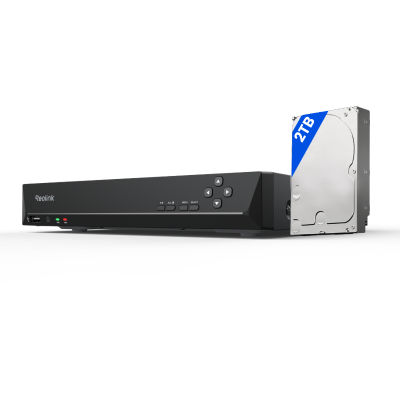
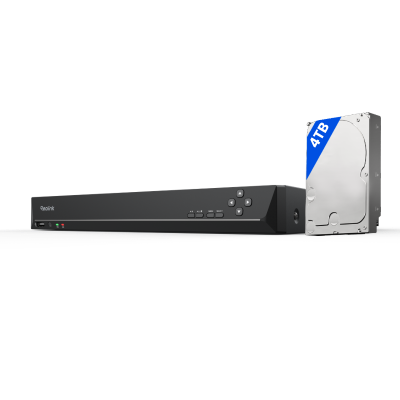
Storage capacity depends on the NVR model and hardware version. For example, the current RLN8-410 supports up to 16TB across an internal HDD and an external eSATA HDD, while the RLN16-410 supports up to 16TB across two internal HDDs. For larger installations, the RLN36 supports three internal HDDs of up to 16TB each, providing up to 48TB in total.
With Reolink PoE NVRs, compatible PoE cameras can receive both power and data through a single Ethernet cable, providing a stable wired connection while simplifying installation.
Reolink NVRs allow users to review recordings by camera, date, and timeline. When compatible cameras support smart detection, recordings can also be filtered by available motion types, helping users locate relevant events without manually reviewing an entire day of footage.
Connect a compatible monitor to the NVR for local live view and playback, or access the NVR through the Reolink App or Client for remote viewing. This allows Australian homeowners and businesses to manage multiple cameras and review stored footage from one system.
A Network Video Recorder (NVR)] is a specialized computer system that records and manages video footage captured by IP (Internet Protocol) cameras. Unlike older analog systems, IP cameras capture digital video data and transmit it seamlessly over a local area network (LAN) or the internet.
NVR systems are widely deployed across residential, commercial, and public spaces—such as homes, retail stores, and public parks—to ensure comprehensive property security. Because an NVR operates over a network, it offers two distinct advantages:
- Centralized Management: A single NVR can manage and record feeds from cameras distributed across entirely different physical locations, as long as they are connected to the same network.
- Remote Accessibility: Users can securely stream live previews, adjust camera settings, and review recorded footage from anywhere in the world using a smartphone, tablet, or PC.
Reolink NVR systems are divided into two main categories based on how they connect to security cameras: PoE (Power over Ethernet) systems and Wi-Fi systems.
PoE NVR Systems (Power over Ethernet):
PoE NVRs utilize a physical, wired network architecture where a single Cat5e or Cat6 Ethernet cable handles both high-speed digital video data transmission and electrical power for each camera.
- How it works: Each camera plugs directly into the back of the NVR via an Ethernet port. Because data travels through a dedicated wire, video streams are completely lag-free and immune to wireless signal interference.
- Best Use Cases: Ideal for business offices, multi-story homes, or new construction where routing cables through walls, ceilings, or crawlspaces is feasible. For example, the Reolink RLK8-800D4 combines four 4K PoE cameras with an 8-channel NVR, making it a practical option for monitoring multiple areas around a home or small business from one system.
Reolink Wi-Fi NVRs:
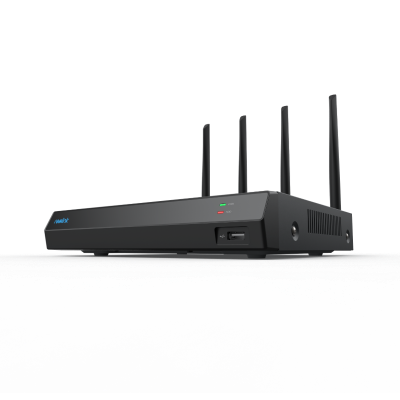
Wireless NVRs (including next-generation units like the Reolink RLN12W Wi-Fi 6 NVR or decentralized Reolink Home Hubs) connect to security cameras over your local wireless network rather than physical video cables.
- How it works: The cameras transmit their digital video signals wirelessly directly to the NVR's high-gain external antennas. The cameras themselves only need to be plugged into a nearby power outlet, or they can run entirely wire-free using rechargeable batteries and solar panels.
- Best Use Cases: Perfect for rented properties, historic homes, or locations where running Ethernet cables is structurally impossible, too disruptive, or cost-prohibitive. They allow you to mount cameras on detached garages, high gutters, or sheds, provided they sit within a stable Wi-Fi range.
Knowing your Reolink NVR hardware version (e.g., N7MB01, H3MB18) is important for firmware updates, storage upgrades, and camera compatibility.
- On a monitor/TV (recommended): Go to Settings → System → Info and find Hw No. (Hardware Number).
- On the Reolink desktop client: Right-click your NVR → Get Info, or go to Device Settings → System → Info.
- On the mobile app: Open the device → Settings → Device Info to view the hardware version and firmware details.
An NVR (Network Video Recorder) is a purpose-built appliance engineered exclusively for security surveillance, featuring built-in software for camera management, motion detection, and live-view monitoring.
In contrast, a NAS (Network Attached Storage) is a versatile, general-purpose storage server designed to host all file types (like documents, photos, and backups) across a network.
While a NAS can be configured to store security footage using third-party apps, it lacks the specialized, out-of-the-box security tools, automated camera pairing, and optimized 24/7 video-write speeds that make an NVR the superior choice for dedicated property protection.
The best NVR for your security system depends on balancing three critical pillars: channel capacity (the number of cameras supported), storage volume (the size and expandability of the hard drive for 24/7 recording), and video resolution support (such as 4K or 16MP decoding).
For residential and small business applications, a user-friendly 4-to-8-channel plug-and-play PoE hub, like the RLN8-410 8-channel NVR, offers excellent local storage without monthly fees.
For commercial operations, larger 16-to-32-channel enterprise units, like the Reolink RLN36, provide the scalable infrastructure and heavy-duty processing power required to manage expansive property perimeters.
You can buy the Reolink RLN16-410 from the official Reolink store and authorized retailers. Compare the exact model, included hard drive capacity, warranty, return policy, shipping costs, and total price before purchasing.
The Reolink RLN8-410 is an 8-channel NVR with PoE connectivity, local recording, remote viewing, and smart detection support with compatible Reolink cameras. When comparing it with other 8-channel NVRs, check storage capacity, supported resolution, PoE ports, camera compatibility, smart features, and subscription requirements.
Look for 8-channel capacity, PoE support, 24/7 local recording, enough storage for your retention needs, smart detection, remote viewing, alerts, and room for future camera expansion.
Compare Reolink NVRs


Be Prepared, Be Ahead
Never miss Reolink hot deals, news, and updates tailored for you.
Be Prepared, Be Ahead
Never miss Reolink hot deals, news, and updates tailored for you.

Google, Google Play, Google Assistant and related marks and logos are trademarks of Google LLC. Amazon, Alexa and all related logos are trademarks of Amazon.com, Inc. or its affiliates. Mac and Safari are trademarks of Apple Inc. App Store is a service mark of Apple Inc., registered in the U.S. and other countries. Firefox and the Firefox logo are trademarks of the Mozilla Foundation in the U.S. and other countries. Other product and company names mentioned herein may be trademarks of their respective companies.