Fliter By

Series/Type

Argus Series (3)
Trackmix Series (2)
E Series (4)
Lumus Series (1)
Vandal-proof Cameras (1)
Battery Doorbells (1)
Wired Doorbells (2)

Scenarios

Indoor (2)
Front Door (3)
Driveway (1)
Backyard (1)

Power Options

Power Over Ethernet (3)
Plug-in Wired (9)
Battery Powered (4)
Solar Powered (3)

Network connection

Wired Ethernet (3)
2.4/5G Dual-Band Wi-Fi (11)
2.4G WI-Fi Only (1)

Resolution

12MP (1)
8MP (3)
5MP (5)
4MP (3)
3MP (2)

Storage

Built-in 2TB HDD (2)

Lens

Fixed Lens (9)
3x Optical Lens (2)
6x Hybrid zoom (3)

Night Vision

IR Night Vision (7)
Color Night Vision (7)

Light

With Spotlights (7)

Weatherproof

IP67 (1)
IP65 (7)

Channels

8CH (4)

Color

White (16)
Black (9)

Compatibility

Wi-Fi 6 Compatibility (1)
Reolink Home Hub Supported (11)
Machanical Chime Support (1)

Special Features

Pan & Tilt (6)
Auto Tracking (4)
Auto-Zoom Tracking (2)
Smart Detection (16)
Two-Way Audio (15)
Warning Light (6)
Siren (16)
Video Call (3)
reolink-trackmix-poe-1-pack-image
  • Best Selling
  • Dual Lens, View & Tracking
  • 4K 8MP Ultra HD
  • Power over Ethernet
reolink-trackmix-wifi-1-pack-wifi6-image
  • Best Selling
  • Dual Lens, View & Tracking
  • 4K 8MP Ultra HD
  • 2.4/5GHz Dual-Band WiFi
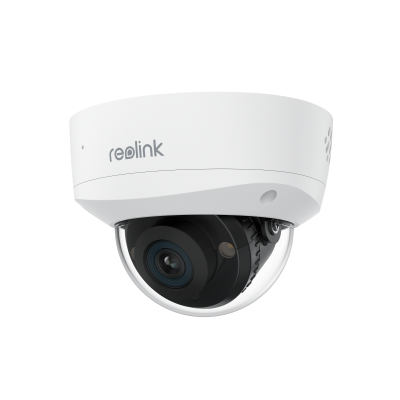
rlk8-1200v4-1-pack-image
  • Best Selling
  • 12MP UHD with Spotlight Night Vision
  • 145° Super-Wide Viewing Angle
  • IK10 Vandal-Proof
argus-3-pro-1-pack-solar-panel-white-image
  • Person/Vehicle Detection
  • 2K+ 5MP Super HD
  • 2.4/5 GHz WiFi
argus-tracksp2-white-image
  • Dual View: Full & Close-up Views
  • Pan, Tilt & 6X Hybrid Zoom
  • 4K 8MP UHD
reolink-doorbell-battery-black-1-pack-image
  • 2K 4MP Head-to-Toe View
  • Person/Vehicle/Package Detection
  • Works with Reolink Home Hub & WiFi NVR
reolink-video-doorbell-poe-version-image
  • Chime Included
  • 2K+ (5MP) HD Video
  • Person Detection
product-2267808-variation-image
  • Chime Included
  • 5MP HD Video
  • Person Detection
e1-zoom-1-pack-8mp-white-auto-tracking-image
  • 3× Optical Zoom
  • 2.4/5 GHz WiFi
  • Pan, Tilt & Auto Tracking
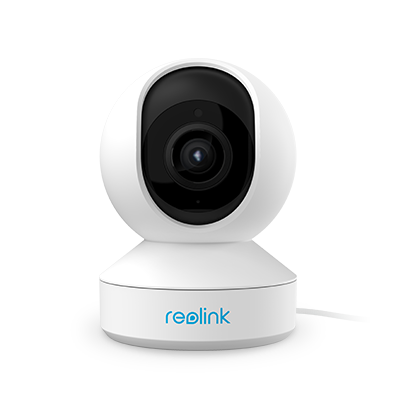
e1-pro-1-pack-5mp-white-with-person-pet-tracking-image
  • 5MP Super HD
  • Pan & Tilt
  • Two-Way Audio
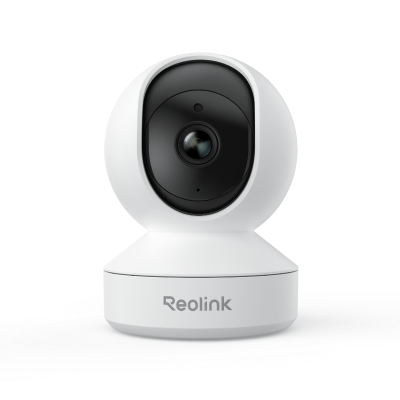
e1-1-pack-4mp-w-with-crying-detection-image
  • 4MP Super HD
  • Pan & Tilt
  • Two-Way Audio
reolink-lumus-1-pack-image
  • 2560p Full HD
  • Motion Spotlight
  • Two-Way Audio
hub-with-2-e1-zoom-white-image
  • 360° Coverage with Auto Tracking
  • 5MP Super HD with 3× Optical Zoom
  • Up to 8 Reolink Cameras Supported
reolink-home-hub-pro-1-pack-image
  • Built-In 2TB HDD
  • Wi-Fi 6 Ready
  • Up to 24 Reolink Cams Supported
reolink-home-hub-1-pack-image
  • Up to 1TB*2 microSD Card Storage
  • Up to 8 Reolink IP Cameras

What Are the Different Types of Indoor Security Cameras?

The main types are wireless indoor cameras, wired indoor cameras, and multi-camera indoor systems.

- Wireless indoor security cameras: Connect over WiFi and are easy to place in bedrooms, living rooms, apartments, and other indoor spaces. They are a strong choice when you want flexible installation with minimal cabling.

- Wired indoor security cameras: Use Ethernet or another wired connection for stable performance. They are better suited to offices, businesses, and permanent installations where connection reliability matters most.

- Indoor camera systems: Combine multiple cameras with an NVR or central recorder. They work well for larger homes, offices, and businesses that need to monitor several rooms from one system.

If you want the easiest setup, choose WiFi. If you prioritize stability or continuous recording, a wired camera or NVR system may be the better fit.

What Should You Consider When Choosing the Best Indoor Security Camera Without Subscription?

The best indoor security camera without subscription should provide useful monitoring features without making essential recording dependent on a monthly plan.

Look for:

- Local storage: Choose cameras with microSD, NVR, or hub storage so footage can stay under your control. Explore security cameras with local storage.

- Free remote access: Make sure live viewing, alerts, and basic playback are available through the camera app without mandatory fees.

- Smart detection: Person, pet, and motion detection can help reduce unnecessary alerts.

- Video quality: 2K or 4K resolution provides more detail for faces, pets, and activity across larger rooms.

- Two-way audio: Useful for speaking with family members, children, elderly relatives, or pets.

- Smart-home compatibility: Check support for the platforms you already use.

For buyers who want to avoid recurring costs, prioritize local storage first, then compare video quality and smart features.

Where Should You Install an Indoor Security Camera?

Place indoor cameras where they provide a clear view of important activity without creating unnecessary blind spots.

- Entryways: Monitor people entering or leaving the home.

- Living rooms and common areas: Cover spaces where family members, pets, and valuable belongings are often located.

- Children's rooms: Use an indoor camera to check naps, bedtime routines, or nighttime activity.

- Elderly family members' living areas: Two-way audio and remote viewing can help you stay connected when you are in another room or away from home.

- Garage-to-home entrances: A garage camera can help monitor an attached garage and the interior entry point into your home.

For wider rooms, consider a pan-and-tilt indoor camera to cover more space with fewer devices.

What Is the Best Indoor Home Security Camera?

The best indoor home security camera is one that matches how you plan to use it. For most homes, a WiFi camera with clear video, smart detection, two-way audio, pan-and-tilt coverage, and local storage offers the best balance of flexibility and everyday usability.

Reolink E1-series cameras are designed for this type of monitoring, with options suited to general home use, pets, family monitoring, and budget-conscious setups.

Which Camera Is Good for Indoors?

A good indoor camera should be easy to install, provide clear video, send useful alerts, and offer storage that fits your needs.

Choose a wireless indoor security camera for flexible placement and quick installation. Choose a wired or PoE indoor camera if you need a more stable connection for long-term or continuous monitoring.

What Is the Best Indoor Camera to Monitor Elderly Parents?

The best indoor camera for elderly monitoring should include clear video, two-way audio, remote viewing, night vision, and smart person detection**. Pan-and-tilt coverage is also useful because it lets you check more of the room without installing multiple cameras.

Reolink indoor cameras offer these features across several models, making it easier to choose a setup based on room size, connection type, and budget.

Is an Indoor Security Camera Worth It?

Yes, an indoor security camera can add useful visibility inside the home. It can help you check on pets, children, elderly family members, entrances, or unusual activity when you are away.

For the best value, choose a model with local storage and smart detection so you can monitor important events without relying on unnecessary subscriptions.

Do Indoor Security Cameras Record All the Time?

Some indoor security cameras support 24/7 continuous recording, while others record only when motion or another event is detected.

If continuous coverage is important, choose a compatible wired camera or NVR setup. If you mainly want alerts and event clips, motion-triggered recording may be more efficient.

Do You Need WiFi for Indoor Security Cameras?

No. WiFi is common for indoor cameras, but it is not always required.

WiFi cameras are convenient for remote viewing and flexible placement, while PoE cameras use a wired network connection. Some cameras can also continue recording locally to a microSD card or NVR even when internet access is unavailable.

If you want simple installation, choose WiFi. If you want a stable wired connection or continuous recording, consider a PoE indoor camera.