Your cart is empty.

No-subscription security cameras let you monitor and record your property without mandatory monthly fees. Reolink combines local storage with smart detection and flexible battery, Wi-Fi, PoE, and multi-camera options for reliable home or business security. Choose the right setup for indoor rooms, front doors, yards, driveways, garages, or larger properties.
No Product Found
Reolink cameras can save footage to a microSD card, Reolink Home Hub, NVR, FTP server, or supported NAS setup. Local storage gives you greater control over your recordings without relying entirely on paid cloud storage.
Core functions such as live viewing, local playback, motion alerts, and supported person, vehicle, animal, or package detection are available without a mandatory subscription. Optional cloud services may be available for selected models and regions.
Choose a storage option based on your setup:
- MicroSD card: Best for one or two cameras.
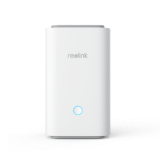
- Reolink Home Hub: Suitable for compatible wireless cameras and centralized encrypted storage.
- NVR: Ideal for multiple cameras and supported 24/7 recording.
- FTP or NAS: Useful for additional backup and storage flexibility on supported models.
The best security camera without a subscription depends on your property and recording needs:
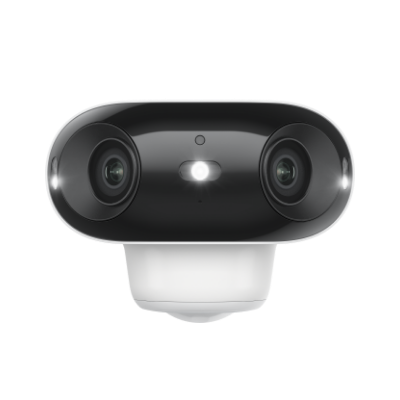
- Best outdoor security camera without subscription: Reolink Argus 4 Pro offers wire-free installation, 4K panoramic coverage, and local storage support.
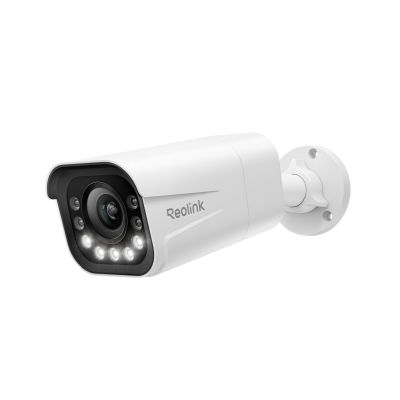
- Best for 24/7 outdoor recording: Reolink CX810 provides 4K video, ColorX night vision, and continuous recording when connected to compatible storage.
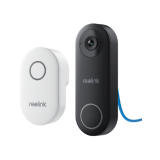
- Best front-door option: Reolink Video Doorbell WiFi delivers a 2K head-to-toe view, smart detection, and local recording without monthly fees.
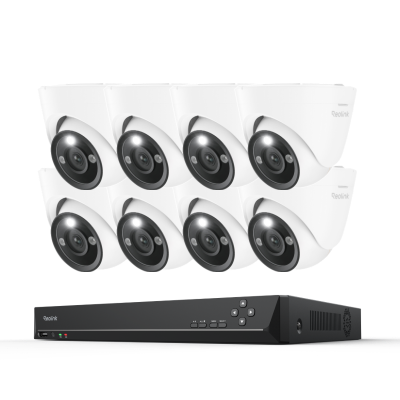
- Best security camera system for home without subscription: The RLK8-800B4 PoE system combines four 4K cameras with an NVR for centralized, continuous recording.
Whether you need a no-subscription security camera for one entrance or a complete home system, Reolink provides scalable local-storage options without locking essential features behind a monthly plan.
Yes. Many security cameras without subscription use local storage instead of a paid cloud plan. Reolink cameras can save footage to a microSD card, Reolink Home Hub, or NVR while supporting live viewing, local playback, motion alerts, and compatible smart detection without mandatory monthly fees.
The best security camera without a subscription depends on your setup. The Reolink Argus 4 Pro is suitable for wire-free outdoor monitoring, while the CX810 supports reliable 24/7 recording with compatible local storage. For whole-home protection, the RLK8-800B4 PoE system combines four 4K cameras with centralized NVR recording.
The best home security camera without a subscription should match the area you need to monitor. Choose a Reolink E1-series camera for indoor spaces, the Video Doorbell 2nd Gen for front-door monitoring, or an NVR-based PoE system for continuous multi-camera coverage.
The best outdoor security cameras without subscription should offer weather resistance, clear night vision, accurate detection, and reliable local recording. The Reolink Argus 4 Pro is ideal for wire-free panoramic coverage, while the CX810 is better for 24/7 outdoor recording and full-colour night vision.
Yes. Reolink lets you access live video, receive alerts, and play locally stored recordings remotely through the Reolink App or Client without a mandatory monthly subscription. The camera must be connected to the internet for remote access.
Some brands charge for cloud storage, extended recording history, advanced AI alerts, or video playback. Reolink provides core features such as remote viewing, local recording, motion notifications, and supported person, vehicle, animal, or package detection without requiring a subscription. Optional cloud services may be available for selected products and regions.
Yes. No-subscription security cameras are worth considering if you want to avoid recurring fees and retain greater control over your recordings. They are particularly suitable for homeowners who prefer local storage, predictable long-term costs, and security features that continue working without a paid cloud plan.
Storage requirements depend on video resolution, recording mode, camera count, and retention period:
- 64–128GB microSD card: Suitable for one camera using motion-triggered recording.
- 256–512GB microSD card: Better for higher-resolution footage or a longer recording history.
- Reolink Home Hub: Suitable for centralized storage from multiple compatible cameras.
- NVR: The best choice for several cameras and supported 24/7 continuous recording.
For a complete home system, an NVR offers more scalable storage than individual microSD cards.
Subscription-free security cameras work by storing video locally instead of requiring a paid cloud plan. Footage can typically be saved to a microSD card, NVR, DVR, or local home hub, depending on the camera.
The camera captures video continuously or when motion is detected. Smart features such as person, vehicle, or animal detection may also run directly on the device without a subscription. You can then view live video and access locally stored recordings through the camera's app or software.
Some subscription-free cameras may still offer optional cloud services, but a paid plan is not required for their core recording and monitoring functions.


Be Prepared, Be Ahead
Never miss Reolink hot deals, news, and updates tailored for you.
Be Prepared, Be Ahead
Never miss Reolink hot deals, news, and updates tailored for you.

Google, Google Play, Google Assistant and related marks and logos are trademarks of Google LLC. Amazon, Alexa and all related logos are trademarks of Amazon.com, Inc. or its affiliates. Mac and Safari are trademarks of Apple Inc. App Store is a service mark of Apple Inc., registered in the U.S. and other countries. Firefox and the Firefox logo are trademarks of the Mozilla Foundation in the U.S. and other countries. Other product and company names mentioned herein may be trademarks of their respective companies.