Filter By

No Product Found

The Reolink Home Hub Series provides a centralized local management station that connects battery, Wi-Fi, and PoE Reolink cameras into a single encrypted network with zero monthly subscription fees.

Centralized Multi-Camera Management

Manage, monitor, and configure all your indoor and outdoor Reolink cameras through one central station and the Reolink App.

The Reolink Home Hub acts as the command center for your entire home security ecosystem. Instead of managing individual devices separately, you can view multi-camera live feeds, sync settings, and manage playback through a single, unified interface on the Reolink App or Desktop Client.

Subscription-Free Local Storage

Save continuous and motion-triggered recordings locally on microSD cards or hard drives with no mandatory monthly service contracts.

Reolink Hom Hub series eliminates cloud dependency and recurring subscription fees by storing all video footage locally. Depending on the specific Home Hub model, you can expand storage capacity using large-capacity microSD cards or high-capacity SATA hard drives to hold months of event history securely on site.

Advanced Encrypted Video Protection

Secure your recorded video files with hardware-level anti-theft encryption technology to prevent unauthorized access.

Locally stored footage stays protected under strict security protocols. The Home Hub encrypts stored video data to ensure that even if a camera is tampered with or an SD card is removed, your private video files remain accessible only through your authorized account credentials.
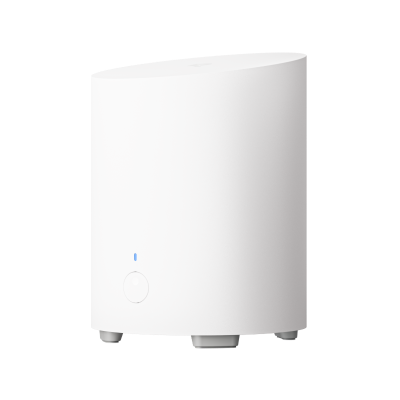
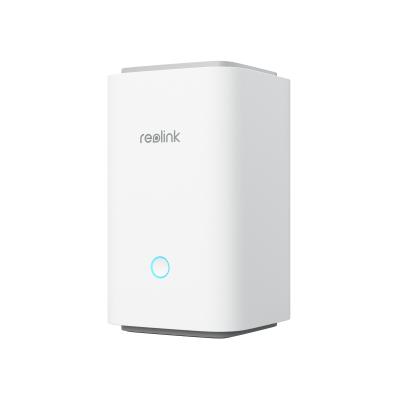
What Is Reolink Home Hub?

Reolink Home Hub is a centralized security camera management and local storage device. It connects compatible Reolink cameras, stores their recordings locally, and lets users manage multiple cameras through the Reolink App.

The Home Hub series includes different models for small and larger camera setups. It is suitable for users who want centralized recording, encrypted local storage, and camera management without a required cloud storage subscription.

What Is the Difference Between Reolink Home Hub and NVR?

Reolink Home Hub is designed for centralized management and local storage of compatible Reolink cameras, including supported battery-powered models. A Reolink NVR is generally better suited to larger wired surveillance systems that require continuous recording from multiple PoE or plug-in cameras.

Choose Home Hub for a flexible home security setup with compatible wireless and battery cameras. Choose an NVR when your priority is a larger wired camera system with extensive continuous recording.

Which Reolink Cameras Are Compatible with Home Hub?

The Reolink Home Hub series supports most Reolink PoE, plug-in Wi-Fi, and battery-powered Wi-Fi security cameras, including popular models from the Argus, Altas, TrackMix, and Reolink Video Doorbell series.

Most PoE and plug-in Wi-Fi cameras with a UID starting with **9527** are compatible. However, some older hardware versions, cameras without a UID, and 4G LTE cameras are not supported.

Battery-powered camera compatibility depends on the model, hardware version, and firmware. Some older models require a firmware update, while others are not supported.

Before connecting a camera, check its hardware version and firmware against the official Reolink Home Hub compatibility list.

Does Reolink Home Hub Need to Be Connected to a Router?

Yes, an Ethernet connection to a router is required for the documented initial setup process. Reolink Home Hub uses a network connection to communicate with compatible cameras and the Reolink App.

Internet access and local network connectivity serve different purposes. Local recording may continue without an internet connection when the hub and cameras remain powered and connected, while remote viewing requires internet access.

Does Reolink Home Hub Require a Subscription?

No. Reolink Home Hub supports local video storage without a required monthly cloud storage subscription.

Users can store recordings on supported microSD cards or hard drives. Storage devices may need to be purchased separately.

Can Reolink Home Hub Record 24/7?

Reolink Home Hub can support continuous recording with compatible cameras and supported recording configurations. However, not every connected camera supports 24/7 recording.

Many battery-powered security cameras use motion-triggered recording to conserve power. Plug-in Wi-Fi and PoE cameras may support continuous recording, depending on the model and hub compatibility.

Check the recording capabilities of both the camera and Home Hub before choosing a system.

How Many Cameras Can I Connect to Reolink Home Hub?

The maximum number of connected cameras depends on the Home Hub model.

The standard Home Hub and Home Hub Mini are listed as supporting up to 8 cameras, while Home Hub Pro is listed as supporting up to 24 cameras. Check the latest product specifications before expanding your security system.

Does Reolink Home Hub Support Third-Party Cameras?

No. Reolink Home Hub is designed to work with compatible Reolink security cameras and does not officially support third-party camera brands. Even if another camera supports common protocols such as ONVIF or RTSP, that does not mean it can be added to Home Hub.

Can I Use Reolink Home Hub Without an SD Card?

Yes. You can use Reolink Home Hub without a microSD card for live viewing and camera management. However, you need a supported storage device to save recordings on the hub.

The standard Reolink Home Hub and Home Hub Mini use microSD cards for local storage. Home Hub Pro supports HDD storage, so you can record footage without a microSD card when a compatible hard drive is installed.

Best For

Apartments and small home security setups
Everyday home security with multiple cameras
Larger properties and extensive recording needs

Max. Connected Cameras

8
8
24 (up to 12 wired cameras)

Local Storage

1 microSD slot, up to 1TB
2 microSD slots, up to 1TB each
Built-in 2TB HDD, expandable to 16TB

Storage Type

microSD
microSD
HDD

Monthly Subscription

Not required
Not required
Not required

Camera Compatibility

Supported Reolink cameras; battery Wi-Fi, E Series and Lumus recommended
Supported Reolink Wi-Fi, PoE and battery cameras

Wi-Fi Connectivity

Dual-band Wi-Fi
Dual-band Wi-Fi 6
Dual-band Wi-Fi 6

Storage Encryption

AES-128
AES-128
AES-128

24/7 Recording

Supported in low-bitrate mode
Supported with compatible cameras

HDMI Output

No
No
Yes

App Management

Yes
Yes
Yes

Key Advantage

Compact, affordable local storage solution
Balanced camera capacity and expandable microSD storage
Highest camera capacity and HDD storage