Filter By

Series/Type

Argus Series (8)
Trackmix Series (1)
E Series (4)
Lumus Series (2)
Altas Series (2)

Power Options

Plug-in Wired (13)
Battery Powered (10)
Solar Powered (7)

Network connection

2.4/5G Dual-Band Wi-Fi (19)

Resolution

8MP (11)
5MP (4)
4MP (1)
3MP (1)

Storage

Built-in 2TB HDD (4)

Lens

Fixed Lens (14)
3x Optical Lens (2)
6x Hybrid zoom (1)

Night Vision

IR Night Vision (2)
Color Night Vision (13)
ColorX Ture Full-Color Night Vision (3)

Light

With Spotlights (14)

Weatherproof

IP67 (1)
IP66 (1)
IP65 (5)
IP64 (2)

Channels

8CH (15)
24CH (3)

Color

White (20)
Black (5)

Compatibility

Wi-Fi 6 Compatibility (2)
Reolink Home Hub Supported (4)

Special Features

Pan & Tilt (7)
Auto Tracking (5)
Auto-Zoom Tracking (1)
180° Field of View (1)
Smart Detection (20)
Two-Way Audio (20)
Warning Light (10)
Siren (20)
PIR Motion Detection (2)
hub-with-2-argus-pt-ultra-wifi6-w-sp-w-image
  • Best Selling
  • 4K color view by day & night
  • Local Storage, No Monthly Fees
  • Up to 8 Reolink IP cameras
home-hub-with-2-argus-4-pro-sp2-w-image
  • Best Selling
  • 4K UHD 180° Blindspot-free View
  • ColorX Ngiht Vision
  • Expandable Up to 8 Reolink Cams
home-hub-with-2x-argus-3-ultra-1-image
  • Best Selling
  • 4K Color Footage Day & Night
home-hub-pro-4-lumus-pro-image
  • Best Selling
  • 4K 8MP UHD
  • 2TB HDD Included
  • Wi-Fi 6 Technology
hub-mini-2-argus-pt-w-sp-w-image
  • 5MP PT & Color Night Vision
  • Built-In 64GB Storage & No Monthly Fees
  • Up to 1TB microSD Card Supported
hub-with-2-altas-pt-ultra-w-sp2-w-image
  • 4K True Full-Color Night Vision
  • 360° Coverage with Auto Tracking
  • Expandable Up to 8 Reolink Cams
home-hub-pro-with-4-trackmix-wifi-image
  • Wide-Angle & Telephoto Lenses
  • Auto-Zoom Tracking
  • Local Storage with 2TB HDD
hub-with-2-argus-eco-ultra-solar-panel-white-image
home-hub-pro-with-4-e1-outdoor-pro-image
  • 4K Color Footage with 3× Optical Zoom
  • 2TB HDD Included for Local Storage
  • Expandable to 16 Reolink Cams
hub-with-2-e1-zoom-white-image
  • 360° Coverage with Auto Tracking
  • 5MP Super HD with 3× Optical Zoom
  • Up to 8 Reolink Cameras Supported
reolink-home-hub-pro-1-pack-image
  • Built-In 2TB HDD
  • Wi-Fi 6 Ready
  • Up to 24 Reolink Cams Supported
reolink-home-hub-1-pack-image
  • Up to 1TB*2 microSD Card Storage
  • Up to 8 Reolink IP Cameras
home-hub-with-2-lumus-image
  • 2K 4MP Color Vision Day & Night
  • Home Hub microSD Storage up to 512GB×2
  • Expandable System up to 8 Reolink Cameras
home-hub-with-2x-e1-outdoor-white-image
  • 360° coverage with auto-tracking
  • 24/7 Recording
  • Anti-Theft Algorithms & Privacy Protection
hub-with-2-argus-3e-image
  • Person/Vehicle/Animal Detection
  • Expandable to 8 Reolink Cams
  • 1 Year of Local Storage

What Is Reolink Home Hub?

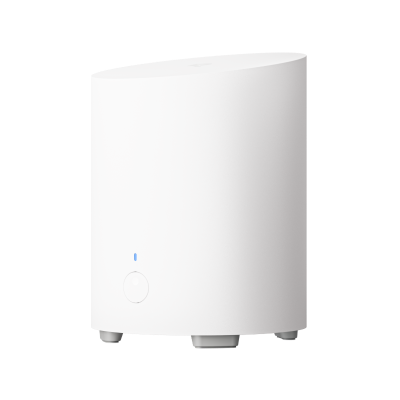
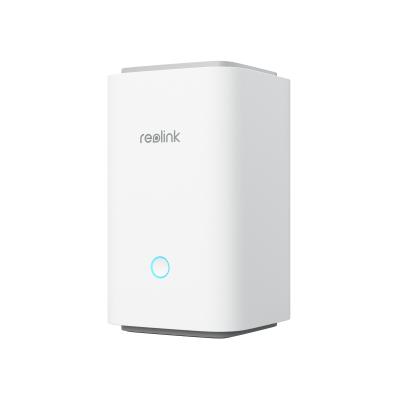
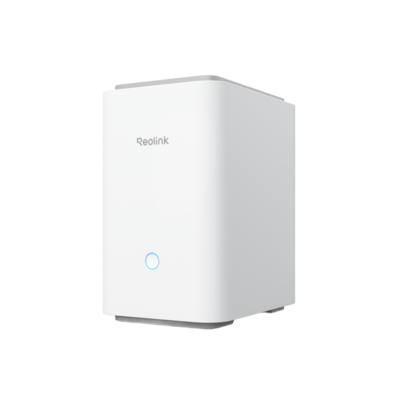
Reolink Home Hub is a centralized security camera management and local storage device. It connects compatible Reolink cameras, stores their recordings locally, and lets users manage multiple cameras through the Reolink App.

The Home Hub series includes different models for small and larger camera setups. It is suitable for users who want centralized recording, encrypted local storage, and camera management without a required cloud storage subscription.

What Is the Difference Between Reolink Home Hub and NVR?

Reolink Home Hub is designed for centralized management and local storage of compatible Reolink cameras, including supported battery-powered models. A Reolink NVR is generally better suited to larger wired surveillance systems that require continuous recording from multiple PoE or plug-in cameras.

Choose Home Hub for a flexible home security setup with compatible wireless and battery cameras. Choose an NVR when your priority is a larger wired camera system with extensive continuous recording.

Which Reolink Cameras Are Compatible with Home Hub?

The Reolink Home Hub series supports most Reolink PoE, plug-in Wi-Fi, and battery-powered Wi-Fi security cameras, including popular models from the Argus, Altas, TrackMix, and Reolink Video Doorbell series.

Most PoE and plug-in Wi-Fi cameras with a UID starting with **9527** are compatible. However, some older hardware versions, cameras without a UID, and 4G LTE cameras are not supported.

Battery-powered camera compatibility depends on the model, hardware version, and firmware. Some older models require a firmware update, while others are not supported.

Before connecting a camera, check its hardware version and firmware against the official Reolink Home Hub compatibility list.

Does Reolink Home Hub Need to Be Connected to a Router?

Yes, an Ethernet connection to a router is required for the documented initial setup process. Reolink Home Hub uses a network connection to communicate with compatible cameras and the Reolink App.

Internet access and local network connectivity serve different purposes. Local recording may continue without an internet connection when the hub and cameras remain powered and connected, while remote viewing requires internet access.

Does Reolink Home Hub Require a Subscription?

No. Reolink Home Hub supports local video storage without a required monthly cloud storage subscription.

Users can store recordings on supported microSD cards or hard drives. Storage devices may need to be purchased separately.

Can Reolink Home Hub Record 24/7?

Reolink Home Hub can support continuous recording with compatible cameras and supported recording configurations. However, not every connected camera supports 24/7 recording.

Many battery-powered security cameras use motion-triggered recording to conserve power. Plug-in Wi-Fi and PoE cameras may support continuous recording, depending on the model and hub compatibility.

Check the recording capabilities of both the camera and Home Hub before choosing a system.

How Many Cameras Can I Connect to Reolink Home Hub?

The maximum number of connected cameras depends on the Home Hub model.

The standard Home Hub and Home Hub Mini are listed as supporting up to 8 cameras, while Home Hub Pro is listed as supporting up to 24 cameras. Check the latest product specifications before expanding your security system.

Does Reolink Home Hub Support Third-Party Cameras?

No. Reolink Home Hub is designed to work with compatible Reolink security cameras and does not officially support third-party camera brands. Even if another camera supports common protocols such as ONVIF or RTSP, that does not mean it can be added to Home Hub.

Can I Use Reolink Home Hub Without an SD Card?

Yes. You can use Reolink Home Hub without a microSD card for live viewing and camera management. However, you need a supported storage device to save recordings on the hub.

The standard Reolink Home Hub and Home Hub Mini use microSD cards for local storage. Home Hub Pro supports HDD storage, so you can record footage without a microSD card when a compatible hard drive is installed.