Your cart is empty.

Discover Reolink’s best continuous recording security cameras, built for 24/7 protection and seamless performance in UK. These 24-hour recording cameras deliver uninterrupted surveillance with advanced features and are available in both wired and wireless options.
No Product Found
Reolink eliminates mandatory cloud subscription costs by focusing on reliable local storage options. You can record continuously using an NVR system with built-in or expandable hard drives for long-term storage, or use high-capacity microSD cards for standalone recording on supported cameras.
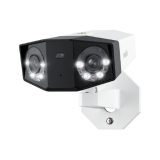
Continuous recording is most effective when footage remains sharp and detailed. Reolink offers ultra-HD options ranging from 4K (8MP) to 12MP and even 18MP dual-lens systems, ensuring clear visibility for identifying faces, license plates, and important events—even when zooming in on recorded footage.
Searching through long recordings is made simple with built-in AI detection for people, vehicles, and pets. The Reolink app highlights key events on the timeline, allowing you to quickly jump to important moments instead of manually scanning hours of video.
Reolink PoE and Wi-Fi systems are designed to record locally without heavily using your internet bandwidth. Video is stored directly on NVRs or SD cards, while remote viewing only activates when you access the system through the app.
Security threats can happen at any time, which is why Reolink cameras support continuous day-to-night recording with advanced night vision technologies. Features like ColorX low-light imaging and built-in spotlights help deliver clear, detailed footage even in complete darkness.
Continuous recording in security cameras refers to the process of capturing footage nonstop, 24/7, without interruptions. This ensures that every moment is documented. However, cameras that record 24 hour require larger storage capacity to accommodate the constant stream of video data
Wired Continuous Recording Camera: Wired 24-hour recording cameras get continuous power through wires to perform continuously. They are usually PoE cameras or DC-powered cameras. PoE cameras use an Ethernet cable for power and networking. In contrast, DC-powered cameras use an adapter connected to an AC outlet for continuous power. They require a Wi-Fi or ethernet connection for networking.
24 Hour Recording Wireless Camera: Wireless continuous recording cameras are completely wireless. They have a built-in battery for power and are often connected to solar panels for automatic recharging. They use Wi-Fi or 4G to access the internet.
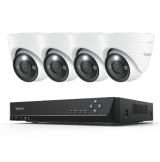
Camera System for 24/7 Recording: A continuous recording system consists of multiple security cameras and a central unit like NVR. The cameras could be connected to the NVR through an Ethernet cable or Wi-Fi. The recordings of the cameras are stored in the built-in NVR storage, which is more than enough to store recordings for several days.
Option 1: Set the camera to continuous recording mode.
Option 2: Set up scheduled recording for the whole day.
Option 3: Connect the camera to a reliable cloud storage for continuous recording.
Option 4: Set up local storage, such as a microSD card or NVR/DVR.
Option 5: Connect the camera to an FTP server to record 24/7.
Select any suitable option according to the compatibility of your security camera, budget, and personal preferences.
True 24-hour Recording: Make sure the camera records continuously all day (24 hours) without any interruption. Some cameras do not have this feature and only work in motion-detection standby mode. To achieve absolute coverage, you need a powerful wired solution like the Reolink OMVI 3i PoE, which is specifically engineered to handle continuous 24/7 recording of its massive 18MP triple-lens panoramic feed without a sweat
Reliable Power Source: For continuous recording, the camera's power source must be reliable. If it is a wired camera, you don't need to worry about it. But if it's a battery-powered camera, make sure it has enough capacity to last longer on continuous recording and is also compatible with solar panels.
Sufficient Storage Capacity: If you want to store the recordings for the whole day, it is a must to have sufficient storage. Otherwise, the camera will delete old recordings automatically. The storage should have enough capacity to save a recording of at least a week.
Without Subscription: The camera should work without any subscription or recurring charges. It must offer all features without any charges or conditions. It will save you from recurring fees.
Remote Access: The camera should allow users to access the life feed, camera recordings, and other controls from any location. It should have a smartphone app to offer remote access to the connected devices.
Smart Detection: With smart detection, the camera detects objects and distinguishes between persons, pets, and vehicles. It sends real-time alerts with details and eliminates false alerts.
Yes, security cameras can be set to record all the time, but 24/7 recording requires substantial storage space. Many modern cameras utilize motion detection and record only when movement is detected. In addition to these options, some devices also offer scheduled recording or event-based recording.
There are many security cameras on the market that can record for 24 hours. They capture continuous footage and ensure enhanced home security. Check out Reolink Atlas PT Ultra as one of the best continuous security cameras. With its 20000mAh battery, it offers continuous video recording for 12 hours per day for one week (8 days) with only one single charge.
Yes, continuous recording cameras do affect storage capacity—because they are recording video 24/7, they naturally generate a much larger amount of data compared to motion-only recording.
The actual storage usage depends on several factors:
Video resolution: Higher resolutions like 4K or 12MP consume more space than 1080p.
Frame rate (FPS): Smoother video uses more storage.
Compression technology (H.264 / H.265): More efficient compression significantly reduces file size.
Number of cameras: More cameras mean higher overall storage demand.
Recording settings: Continuous recording will always use more storage than event-based recording.
If you are recording continuously straight to an on-camera microSD card, your storage window is typically measured in hours to days. Using the modern H.265 compression standard, a single camera recording 24/7 in 4K Ultra HD video will yield the following storage lifespans:
- A 64 GB microSD card can store approximately 18 to 24 hours of continuous 4K footage.
- A 128 GB microSD card can store approximately 1.5 to 2 days of continuous 4K footage.
- A 256 GB microSD card can store approximately 3 to 4 days of continuous 4K footage.
- A 512 GB microSD card can store approximately 7 to 8 days of continuous 4K footage.
Tip: If you are using Reolink cameras, If you are using Reolink cameras, official website provides a specialized Storage Calculator webpage. You can directly input your specific 4K camera model, resolution, and frame rate, and it will automatically calculate the most accurate recording days based on that model's exact bitrate.


Be Prepared, Be Ahead
Never miss Reolink hot deals, news, and updates tailored for you.
Be Prepared, Be Ahead
Never miss Reolink hot deals, news, and updates tailored for you.

Google, Google Play, Google Assistant and related marks and logos are trademarks of Google LLC. Amazon, Alexa and all related logos are trademarks of Amazon.com, Inc. or its affiliates. Mac and Safari are trademarks of Apple Inc. App Store is a service mark of Apple Inc., registered in the U.S. and other countries. Firefox and the Firefox logo are trademarks of the Mozilla Foundation in the U.S. and other countries. Other product and company names mentioned herein may be trademarks of their respective companies.