Your cart is empty.

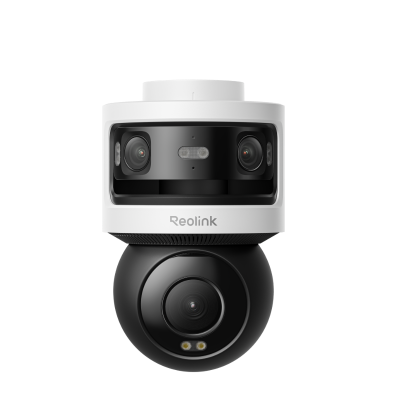
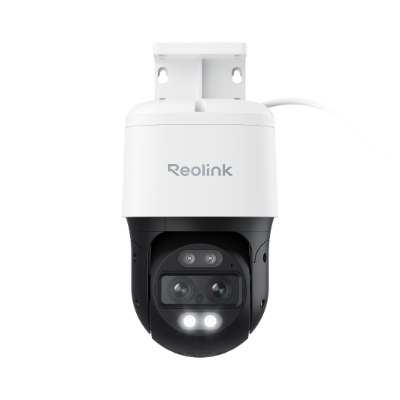
Simplify your security with Reolink PoE cameras. Use only a network cable to transmit data and electricity. Build your own PoE camera system with these best PoE security cameras and NVRs and enjoy up to 16MP clarity and 24/7 protection!
No Product Found
A PoE (Power over Ethernet) camera is a type of security camera that receives both power and data through a single Ethernet cable. PoE technology eliminates the need for separate power cables and outlets by powering the camera directly through the same network cable used for data transmission.
Reolink PoE cameras provide a stable wired connection through a single Ethernet cable for both power and data, ensuring reliable performance without Wi-Fi interference. They support high-resolution recording and continuous 24/7 monitoring for dependable home security.
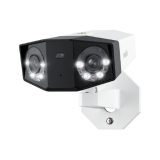
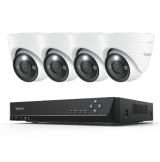
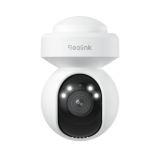
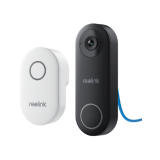
Reolink also offers AI detection, color night vision, local storage options, and multiple camera types including bullet, dome, PTZ, and doorbell models, making it easy to build a complete security system.
A PoE IP camera typically uses between 3 and 15 watts. Basic PoE security cameras may consume around 3 to 7 watts, while PoE cameras with higher resolution, infrared or color night vision, or pan-and-tilt features can use up to 15 watts or more. For precise power consumption, refer to the camera's specifications.
First, you'll need a compatible Ethernet cable (Cat5e or higher). Next, find a PoE injector or a PoE-enabled network switch to provide both power and data through the Ethernet cable. Finally, you’ll need a router or network switch to manage network connectivity.
No, you don’t necessarily need an NVR to use a PoE camera. Although an NVR is often used to manage, store, and view footage from multiple PoE cameras, you can also use a PoE camera independently or connect it directly to a computer or smartphone with compatible software.
Whether PoE is better than WiFi cameras depends on the installation environment and your priorities, but PoE cameras are generally considered the better option for reliability and long-term security setups.
PoE IP cameras use Ethernet cables to deliver both power and data, providing a stable connection that is not affected by Wi-Fi interference or signal drops. This rock-solid bandwidth allows them to seamlessly support continuous 4K or higher-resolution recording—powering heavy-duty data demands like the massive 18MP triple-lens stream found on the Reolink OMVI 3i PoE without breaking a sweat. Furthermore, they require little maintenance because there are no batteries to replace, and they store footage locally on an NVR without mandatory subscription fees.
Wi-Fi cameras are easier to install since they do not require Ethernet wiring or drilling through walls. Their flexible placement makes them ideal for renters, apartments, and temporary setups, while battery and solar-powered models can be quickly mounted and moved when needed.
A standard router cannot directly power a PoE camera because most routers do not provide Power over Ethernet (PoE) through their LAN ports.
A PoE CCTV camera needs both network data and electrical power through the Ethernet cable. To make this work, you typically need a PoE switch, PoE injector, or NVR with PoE ports between the camera and the router. The PoE device supplies power, while the router handles network access.
However, if your router has built-in PoE ports (uncommon in home routers but available on some business models), you can connect the PoE camera directly to it with a single Ethernet cable.
For a typical setup:
PoE camera → PoE switch/NVR/Injector → Router
PoE Cameras: PoE cameras receive both power and data through a single Ethernet cable, simplifying installation while supporting high-resolution recording and smart detection features.
PoE NVR: A PoE NVR also records and stores footage for playback.
Ethernet Cables: Cat5e or Cat6 cables connect all components, carrying both electrical power and network data.
Router and Viewing Devices: The router enables remote access, allowing users to monitor live feeds and playback footage from smartphones, computers, or tablets.
Resolution and Image Quality: Choose the resolution based on the area you want to monitor. 4K (8MP) cameras suit most homes, while 12MP or 16MP models provide extra detail for large properties and zooming needs.
Number of Cameras: Estimate how many areas need coverage, such as entrances, driveways, backyards, and garages. Most PoE systems support expansion, so consider future needs.
NVR Storage Capacity: PoE systems typically record to an NVR. Choose enough storage for your recording mode, especially if you need continuous 24/7 recording retention.
Night Vision Performance: Look for cameras with color night vision, spotlights, or large sensors for clearer footage in low light.
Smart Detection Features: AI detection can distinguish people, vehicles, pets, or packages, reducing false alerts from rain, leaves, or shadows.


Be Prepared, Be Ahead
Never miss Reolink hot deals, news, and updates tailored for you.
Be Prepared, Be Ahead
Never miss Reolink hot deals, news, and updates tailored for you.

Google, Google Play, Google Assistant and related marks and logos are trademarks of Google LLC. Amazon, Alexa and all related logos are trademarks of Amazon.com, Inc. or its affiliates. Mac and Safari are trademarks of Apple Inc. App Store is a service mark of Apple Inc., registered in the U.S. and other countries. Firefox and the Firefox logo are trademarks of the Mozilla Foundation in the U.S. and other countries. Other product and company names mentioned herein may be trademarks of their respective companies.