Your cart is empty.

The Argus Series is Reolink's flagship lineup of 100% wire-free, battery-powered security cameras designed for effortless DIY protection without installation hassles. Engineered for maximum flexibility, the Argus family spans versatile indoor and outdoor form factors from portable magnetic cameras to 360-degree pan-tilt units and 4K panoramic models. Explore the full lineup below to compare power options, night vision technologies, and coverage styles for your property.
No Product Found
True home security shouldn't be limited with the best features locked behind a paywall ever. The Argus Series cameras gives you everything out of the box with zero subscriptions. You get on-device AI (person/vehicle/animal detection), customized activity zones, and full-resolution video recording completely free.
Whether you need discreet indoor monitoring or bright outdoor deterrence, the Argus lineup has you covered. Standard models feature crisp IR or spotlight-assisted color night vision, while the flagship Argus 4 Pro utilizes proprietary ColorX technology backed by an f/1.0 super-aperture lens that captures daylight-bright, full-color footage in near-total darkness without turning on battery-draining spotlights.
Many wire-free cameras on the market are still running on older, easily congested 2.4GHz Wi-Fi networks, resulting in lag and dropped feeds. Key Reolink Argus models, including the Argus 4 Pro and Argus PT Ultra, feature advanced Dual-Band Wi-Fi 6 technology, ensuring lightning-fast live-feed loading, smooth 4K video streaming, and bulletproof connection stability.
Saving your data in public cloud servers risks a privacy breach. The Argus Series of cameras offer true data privacy by allowing you to save footage directly to an onboard microSD card. For multi-camera setups, you can wirelessly sync your cameras to an encrypted local base station like the Reolink Home Hub, for seamless management and ultimate data security.
Reolink Argus is a flagship lineup of battery-powered wireless security cameras designed for flexible, wire-free installation. All models feature rechargeable batteries and support the Reolink Solar Panel for continuous power.
Popular models include the Argus 4 Pro, Argus PT Ultra, and Argus Track, offering options like color night vision, 4K video, and smart motion detection.
Choosing the best Reolink Argus camera depends on your specific needs, including video quality, coverage area, power options, and smart features.
1. Choose Based on Video Quality: Video resolution plays a key role in how much detail your camera can capture. If you need sharp images, a 4K camera like the Argus 4 Pro is the best choice. For general home security, 2K+ HD cameras provide a good balance between clarity and battery efficiency.
2. Choose Based on Coverage Area: The size of the area you want to monitor will determine whether you need a fixed or PTZ camera. PTZ (pan-tilt-zoom) cameras, such as the Argus PT Ultra, are ideal for large spaces because they can move and track motion. In contrast, fixed-lens cameras are better suited for smaller and focused areas.
3. Choose Based on Smart Features: Argus cameras come with a range of smart features that enhance security and convenience. Auto-tracking allows the camera to follow moving objects automatically. Color night vision provides clearer nighttime footage compared to standard infrared. Smart detection can distinguish between people, vehicles, and animals, reducing false alerts and improving overall efficiency.
Yes, Reolink Argus Series cameras can work without Wi-Fi, but only with limited functionality. These battery-powered cameras are designed primarily for wireless connectivity, so when Wi-Fi is unavailable, they switch to a basic offline mode.
Without Wi-Fi, the camera can still detect motion and record footage locally to a microSD card. However, most smart features will not be available. You won’t be able to access live view, receive motion alerts, or control the camera through the mobile app.
To reset a Reolink Argus Series camera, make sure the device is powered on. Locate the reset button (usually near the microSD card slot), then press and hold it for about 5–10 seconds until you hear a prompt or see an indicator.
After the reset, the camera will return to factory settings, and all configurations will be erased. You’ll need to set it up again in the Reolink app.
The biggest difference between Argus 4 and Argus 4 Pro is night vision technology.
- Argus 4 uses traditional infrared and spotlight-based color night vision
- Argus 4 Pro uses ColorX technology, which delivers full-color images at night without needing a spotlight
The Reolink Argus 3 Pro battery life typically ranges from 1 to 4 weeks per charge under normal use, depending on how often the camera records events and how frequently you use live view.
The Altas PT Ultra is designed for more advanced, near-continuous surveillance with better night imaging, while the Argus PT Ultra focuses on affordability and standard smart security features.
- Choose Altas PT Ultra if you want better Reolink ColorX night vision, longer battery life, and more advanced recording
- Choose Argus PT Ultra if you want a more affordable 4K PTZ camera for everyday security
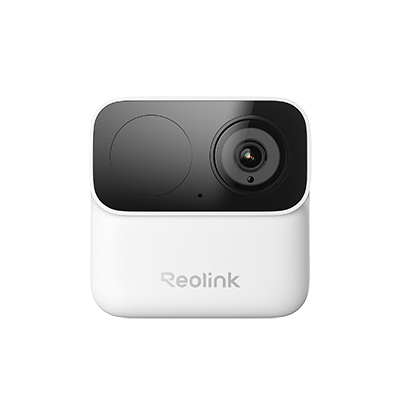
Most outdoor Argus models (such as the Argus 4 Pro and Argus PT Ultra) support continuous charging via a Reolink Solar Panel. However, select models like the Argus MagiCam operate on AA batteries or USB-C power, making them ideal for flexible indoor monitoring, apartments, or locations where solar panels are not practical.
Both cameras capture crisp 4K Ultra HD video, but they differ in coverage style and night vision technology:
Argus 4 Pro: Uses a dual-lens fixed design to deliver a seamless 180-degree panoramic view with ColorX full-color night vision (no spotlights required).
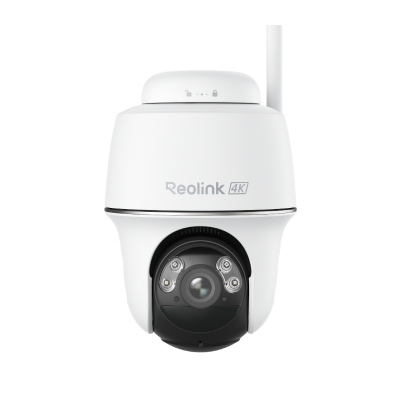
Argus PT Ultra: Uses a motorized base (355° pan, 140° tilt) to actively rotate around large yards, featuring spotlight-assisted color night vision.
No. Reolink's Argus line of cameras do not require a monthly subscription. These cameras feature on-device AI person/vehicle detection. You can save all recorded video events locally to an onboard microSD card or a Reolink Home Hub with zero subscription fees.
Yes, but with limited functionality. When disconnected from Wi-Fi, Reolink's Argus line of cameras will still detect motion and record video events locally to an installed microSD card. However, an active Wi-Fi connection is required to receive live push notifications, view live feeds, or adjust camera settings in the Reolink app.


Be Prepared, Be Ahead
Never miss Reolink hot deals, news, and updates tailored for you.
Be Prepared, Be Ahead
Never miss Reolink hot deals, news, and updates tailored for you.

Google, Google Play, Google Assistant and related marks and logos are trademarks of Google LLC. Amazon, Alexa and all related logos are trademarks of Amazon.com, Inc. or its affiliates. Mac and Safari are trademarks of Apple Inc. App Store is a service mark of Apple Inc., registered in the U.S. and other countries. Firefox and the Firefox logo are trademarks of the Mozilla Foundation in the U.S. and other countries. Other product and company names mentioned herein may be trademarks of their respective companies.