Your cart is empty.

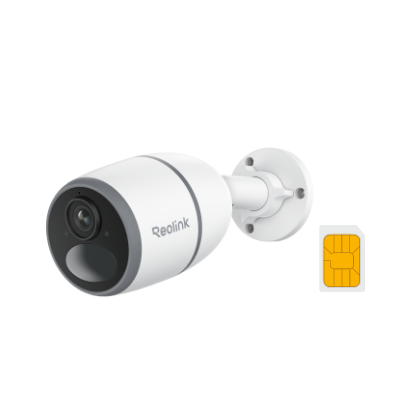
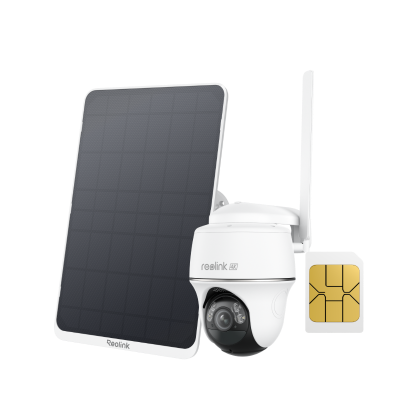
Discover the Reolink Go Series 4G LTE cellular security cameras for reliable protection anywhere without relying on WiFi. Powered by rechargeable batteries and 4G LTE networks, Go cameras offer easy, hassle-free installation with no need for complex wiring or network setup. Key features include smart motion detection for people, vehicles, and animals, instant mobile alerts, and remote live viewing.
No Product Found
The Reolink Go Series is a line of wire-free 4G LTE security cameras that work without WiFi, using a SIM card and mobile data instead. They are battery-powered and often solar-compatible, making them ideal for remote locations like farms, construction sites, and vacation homes.
The cameras also offer features such as motion detection, night vision, two-way audio, and remote app access, allowing users to monitor and protect their property from anywhere.
The Reolink Go Series includes several top 4G LTE battery-powered security cameras designed for different outdoor and remote monitoring needs. The main models are:
- Reolink Go PT Plus – A 2K PTZ camera with pan-and-tilt control, smart motion detection, and flexible wide-area coverage.
- Reolink Go PT Ultra – A higher-end 4K PTZ model with ultra HD clarity, color night vision, and full 355° pan + 140° tilt coverage.
- Reolink Go Ultra – A fixed-lens 4K camera (no PTZ), offering high-resolution monitoring with simpler setup and reliable detection.
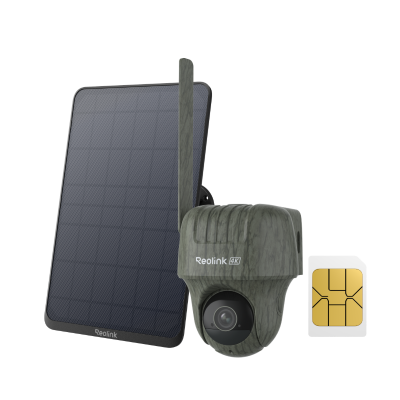
- Reolink Go Ranger PT – A specialized 4K wildlife and outdoor monitoring camera with advanced AI detection for animals and remote environments.
The Reolink Go Series battery typically lasts 1 to 4 weeks on a single charge under normal use. With lighter activity and fewer recordings, it can last up to 1 to 2 months. Battery life varies depending on motion events, live viewing frequency, signal strength, and settings.
To reset a Reolink Go Series camera, you need to use the physical reset button, which restores the device to factory settings and removes all previous configurations.
First, make sure the camera is powered on. Open the back cover and locate the reset hole or reset button, usually near the battery or SIM card slot. Then, use a pin to press and hold the reset button for about 3–10 seconds until you hear a sound or prompt indicating the reset has started. Once you release the button, the camera will reboot and return to factory default settings, meaning it will need to be set up again in the Reolink app.
The Reolink Go Series cameras are compatible with most standard Nano SIM cards that support 4G LTE networks. You can use SIM cards from major carriers such as T-Mobile, AT&T, or other local providers.
No, the Reolink Go Plus does not have WiFi. It is a 4G LTE cellular security camera and connects to the internet using a SIM card and mobile data network instead of WiFi.
No, the Reolink Go PT Ultra does not have WiFi. This model is designed for remote and off-grid locations, where WiFi is unavailable, and it relies entirely on cellular networks for live view, alerts, and recording.


Be Prepared, Be Ahead
Never miss Reolink hot deals, news, and updates tailored for you.
Be Prepared, Be Ahead
Never miss Reolink hot deals, news, and updates tailored for you.

Google, Google Play, Google Assistant and related marks and logos are trademarks of Google LLC. Amazon, Alexa and all related logos are trademarks of Amazon.com, Inc. or its affiliates. Mac and Safari are trademarks of Apple Inc. App Store is a service mark of Apple Inc., registered in the U.S. and other countries. Firefox and the Firefox logo are trademarks of the Mozilla Foundation in the U.S. and other countries. Other product and company names mentioned herein may be trademarks of their respective companies.