Your cart is empty.

Jobsite security cameras are built to monitor construction sites and other temporary or remote work areas where power, Wi-Fi, or on-site supervision may be limited. Reolink jobsite cameras offer flexible 4G LTE connectivity, solar power options, smart detection, remote access, and weather-resistant designs for reliable monitoring. Ideal for construction zones, equipment yards, oil fields, farms, and other off-grid jobsites.
No Product Found
Reolink 4G LTE and solar-powered cameras help protect locations where wired internet and electricity are unavailable, such as construction sites, farms, and infrastructure projects.
Avoid the time and cost of running cables across changing job sites. Battery-powered and solar options allow quick deployment and flexible camera placement.
Get real-time alerts with smart detection for people, vehicles, and motion, helping managers respond faster to suspicious activity and protect expensive tools and equipment.
Remote viewing through the Reolink App allows contractors and project managers to monitor multiple areas without driving to the site every day.
Store recordings locally with microSD cards, NVRs, or Home Hub devices. Reolink cameras provide essential security features without requiring a subscription.
With weather-resistant designs, Reolink jobsite cameras can operate in challenging environments, providing reliable protection throughout construction projects.
The best jobsite camera depends on your power, connectivity, and coverage needs:
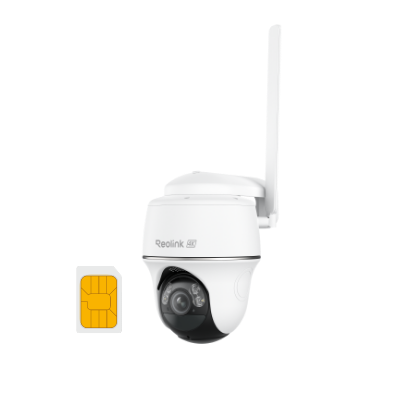
- Best for Remote Sites Without WiFi: Reolink Go PT Ultra: A 4G LTE camera with battery and solar support, ideal for construction sites, farms, and remote projects without wired internet.
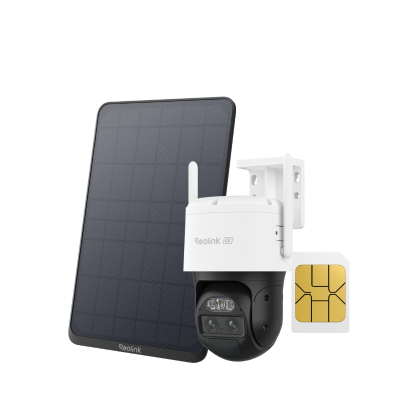
- Best for Large Areas: Reolink Argus PT Ultra: A solar-compatible PTZ camera with pan and tilt control, making it suitable for monitoring large construction areas with fewer blind spots.
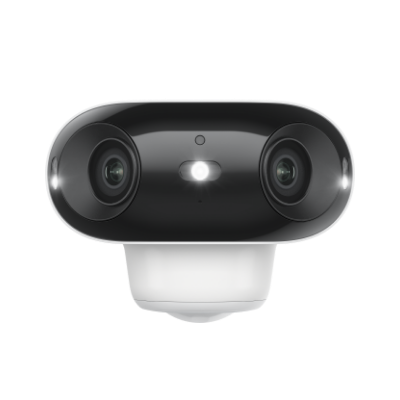
- Best for Long-Term Recording: Reolink Altas PT Ultra: Designed for extended monitoring with long battery life, continuous recording support, and local storage options.
Jobsite cameras are rugged security cameras designed for construction sites, industrial areas, and remote projects. Unlike regular home cameras, jobsite security cameras are built to handle harsh weather while helping monitor workers, equipment, materials, and site progress remotely.
The best construction site cameras depend on your power and connectivity needs:
- Solar & 4G cameras: Ideal for remote locations without WiFi or power, such as large construction sites, farms, and infrastructure projects.
- Battery-powered WiFi cameras: Great for temporary job sites that need flexible installation.
- PoE camera systems: Suitable for permanent sites requiring reliable 24/7 recording.
- Multi-camera systems: A complete jobsite camera system with multiple cameras and an NVR for large-area coverage.
When choosing cameras for construction sites, consider:
- High-resolution video & night vision for clear footage day and night.
- Smart detection for people, vehicles, and motion alerts.
- Remote viewing through mobile apps for easy site monitoring.
- Local storage with microSD cards or NVRs without mandatory subscriptions.
- Battery, solar, or 4G options for flexible installation in different environments.
A jobsite camera system helps contractors and site managers:
- Monitor construction progress remotely.
- Protect tools, equipment, and materials from theft.
- Deter trespassing and vandalism.
- Review safety incidents and improve site security.
- Check weather and site conditions without visiting in person.
The cost of construction site security cameras depends on the camera type, coverage area, and installation needs. A basic setup with a single battery, solar, or 4G camera may cost a few hundred dollars, while larger jobsite camera systems with multiple cameras, NVRs, and professional installation can cost several thousand dollars. Choosing local storage and subscription-free cameras can help reduce long-term costs.
Yes, an employer can usually install a camera in a company-owned work truck for business-related purposes, such as improving driver safety, monitoring vehicle use, and reviewing accident footage. Employers should follow applicable privacy laws and inform employees about camera use when required.


Be Prepared, Be Ahead
Never miss Reolink hot deals, news, and updates tailored for you.
Be Prepared, Be Ahead
Never miss Reolink hot deals, news, and updates tailored for you.

Google, Google Play, Google Assistant and related marks and logos are trademarks of Google LLC. Amazon, Alexa and all related logos are trademarks of Amazon.com, Inc. or its affiliates. Mac and Safari are trademarks of Apple Inc. App Store is a service mark of Apple Inc., registered in the U.S. and other countries. Firefox and the Firefox logo are trademarks of the Mozilla Foundation in the U.S. and other countries. Other product and company names mentioned herein may be trademarks of their respective companies.