Your cart is empty.

Why Choose Reolink Indoor Security Cameras?
The best indoor security camera should provide clear video, reliable alerts, simple installation, and flexible storage without adding unnecessary monthly costs. Reolink offers indoor cameras for everyday home monitoring, pets, elderly family members, apartments, and professional indoor spaces.
Smart Monitoring for Home & Family
A reliable indoor security camera helps you stay connected to what matters most. Reolink indoor cameras provide clear video, two-way audio, and remote viewing through the Reolink App. From monitoring daily activities to checking on pets or elderly family members, a Reolink indoor camera provides an easy way to add extra visibility and peace of mind without complicated installation.
Flexible WiFi and Wired Options
Every home has different security needs. Reolink offers both WiFi and wired options, so you can choose the right interior camera based on your network setup and security requirements.
An indoor WiFi camera offers quick and flexible installation. For users who prefer a more stable connection, wired indoor cameras provide reliable performance for continuous monitoring.
Local Storage Without Monthly Fees
For users looking for the best indoor security camera without subscription, Reolink indoor cameras support flexible local storage options, including microSD cards, NVR systems, and Home Hub. You can keep your recordings private and accessible without mandatory cloud subscriptions.
Smart Detection with Fewer False Alerts
Reolink indoor security cameras use intelligent detection features to help identify important events, such as people, pets, and motion, while reducing false alerts caused by background activity.
For families with babies, some Reolink indoor cameras also support crying detection. Parents can receive timely alerts when a baby starts crying. Combined with two-way audio and remote viewing, this feature makes it easier to check on your child and respond quickly even when you are in another room.
Which Reolink Indoor Camera Is Best for Your Setup?
Best Overall Indoor WiFi Camera
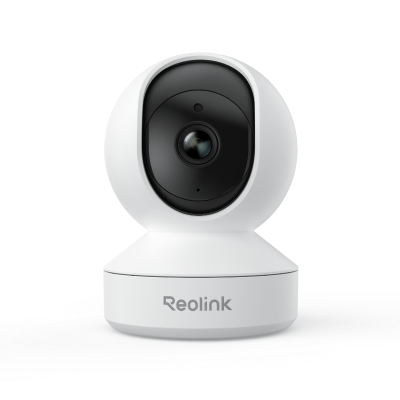
The Reolink E1 Zoom is an indoor WiFi camera for everyday home monitoring. With pan and tilt functionality, zoom capability, and smart detection, it helps you cover more areas with fewer blind spots. Ideal for living rooms, bedrooms, and general home monitoring.
Best Indoor Security Camera for Elderly Monitoring
The Reolink E1 Pro is a practical choice for monitoring elderly family members at home. Its clear video, two-way audio, and remote viewing features make it easier to stay connected and respond when needed. Ideal for elderly care, family communication, and indoor activity monitoring.
Best Wired Indoor Camera
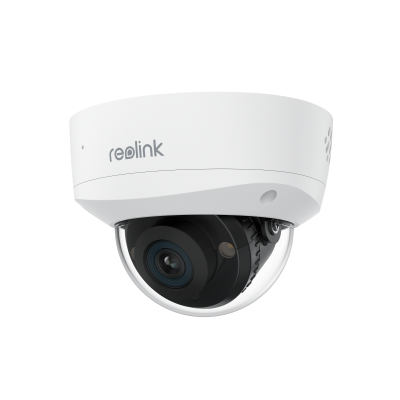
For users who need a stable wired connection, the Reolink RLC-1240A provides reliable indoor surveillance with 12MP UHD video and smart detection features. Ideal for offices, businesses, and professional indoor monitoring.
Best Affordable Indoor WiFi Camera
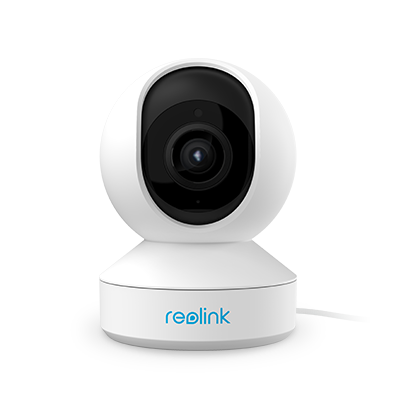
The Reolink E1 is an affordable option for users looking for essential indoor security features without a high cost. It provides easy WiFi installation, clear video, and smart monitoring for everyday home use. Ideal for apartments, bedrooms, and budget-friendly home security.