Your cart is empty.

Shop Reolink Argus Series battery security cameras for flexible, wire-free protection. Enjoy easy wireless installation, smart motion alerts, and reliable home surveillance with clear UHD video, night vision, and weather-resistant design. Explore multiple models to find the right fit for your indoor or outdoor security needs.
No Product Found
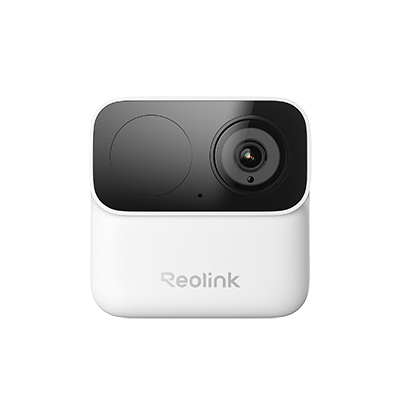
Reolink Argus is a flagship lineup of battery-powered wireless security cameras designed for flexible, wire-free installation. All models feature rechargeable batteries and support the Reolink Solar Panel for continuous power.
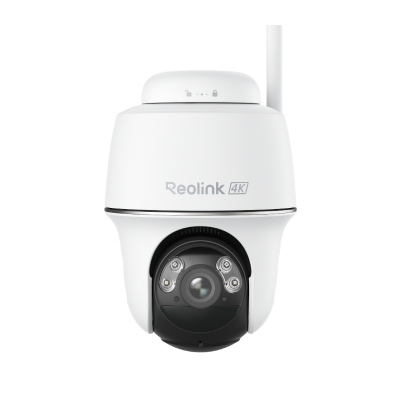
Popular models include the Argus 4 Pro, Argus PT Ultra, and Argus Track, offering options like color night vision, 4K video, and smart motion detection.
Choosing the best Reolink Argus camera depends on your specific needs, including video quality, coverage area, power options, and smart features.
1. Choose Based on Video Quality: Video resolution plays a key role in how much detail your camera can capture. If you need sharp images, a 4K camera like the Argus 4 Pro is the best choice. For general home security, 2K+ HD cameras provide a good balance between clarity and battery efficiency.
2. Choose Based on Coverage Area: The size of the area you want to monitor will determine whether you need a fixed or PTZ camera. PTZ (pan-tilt-zoom) cameras, such as the Argus PT Ultra, are ideal for large spaces because they can move and track motion. In contrast, fixed-lens cameras are better suited for smaller and focused areas.
3. Choose Based on Smart Features: Argus cameras come with a range of smart features that enhance security and convenience. Auto-tracking allows the camera to follow moving objects automatically. Color night vision provides clearer nighttime footage compared to standard infrared. Smart detection can distinguish between people, vehicles, and animals, reducing false alerts and improving overall efficiency.
Yes, Reolink Argus Series cameras can work without Wi-Fi, but only with limited functionality. These battery-powered cameras are designed primarily for wireless connectivity, so when Wi-Fi is unavailable, they switch to a basic offline mode.
Without Wi-Fi, the camera can still detect motion and record footage locally to a microSD card. However, most smart features will not be available. You won’t be able to access live view, receive motion alerts, or control the camera through the mobile app.
To reset a Reolink Argus Series camera, make sure the device is powered on. Locate the reset button (usually near the microSD card slot), then press and hold it for about 5–10 seconds until you hear a prompt or see an indicator.
After the reset, the camera will return to factory settings, and all configurations will be erased. You’ll need to set it up again in the Reolink app.
The biggest difference between Argus 4 and Argus 4 Pro is night vision technology.
- Argus 4 uses traditional infrared and spotlight-based color night vision
- Argus 4 Pro uses ColorX technology, which delivers full-color images at night without needing a spotlight
The Reolink Argus 3 Pro battery life typically ranges from 1 to 4 weeks per charge under normal use, depending on how often the camera records events and how frequently you use live view.
The Altas PT Ultra is designed for more advanced, near-continuous surveillance with better night imaging, while the Argus PT Ultra focuses on affordability and standard smart security features.
- Choose Altas PT Ultra if you want better Reolink ColorX night vision, longer battery life, and more advanced recording
- Choose Argus PT Ultra if you want a more affordable 4K PTZ camera for everyday security


Be Prepared, Be Ahead
Never miss Reolink hot deals, news, and updates tailored for you.
Be Prepared, Be Ahead
Never miss Reolink hot deals, news, and updates tailored for you.

Google, Google Play, Google Assistant and related marks and logos are trademarks of Google LLC. Amazon, Alexa and all related logos are trademarks of Amazon.com, Inc. or its affiliates. Mac and Safari are trademarks of Apple Inc. App Store is a service mark of Apple Inc., registered in the U.S. and other countries. Firefox and the Firefox logo are trademarks of the Mozilla Foundation in the U.S. and other countries. Other product and company names mentioned herein may be trademarks of their respective companies.