Your cart is empty.

PoE security cameras use Power over Ethernet (PoE) technology to send power and video signals through one Ethernet cable, eliminating the need for separate power wiring. Reolink PoE cameras and systems provide high-resolution surveillance up to 16MP, stable wired connections, and centralized recording with NVRs supporting up to 32 channels. They are a reliable choice for homeowners, businesses, and large areas requiring continuous security coverage.
No Product Found
A PoE camera uses one Ethernet cable to carry both power and network data. This feature significantly simplifies installation and reduces the need for separate power wiring. One-cable setup makes a PoE camera system a strong choice for scenarios where stable connectivity matters more than wireless flexibility.
Reolink PoE cameras can work with compatible NVRs for continuous, scheduled, or event-based recording. For users comparing the best PoE security camera system options, reliable 24/7 recording is especially useful for entrances, stores, offices, and other locations where a complete video timeline is important.
Reolink offers PoE cameras with high-resolution options up to 16MP for capturing clearer details of people, vehicles, packages, and activity around a property. When choosing the best Reolink PoE camera, consider both resolution and viewing coverage so the camera matches the area you need to monitor.
A Reolink PoE camera system can store footage locally through compatible NVRs, microSD cards, or other supported Reolink storage options depending on the model. This gives users more control over recordings without requiring a mandatory monthly subscription.
A major advantage of a PoE security camera system is scalability. You can start with a few cameras and expand coverage across front doors, driveways, garages, yards, offices, or multiple building areas as your monitoring needs grow.
For larger properties, a multi-camera PoE setup with centralized NVR recording can be more practical than managing each camera separately.
The best PoE camera system depends on the size of the property and what you need to monitor.
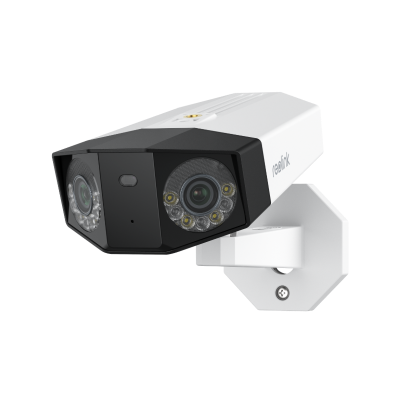
- For wide areas: Reolink Duo 3 PoE offers 16MP resolution and a 180° panoramic view for driveways, yards, and parking areas.
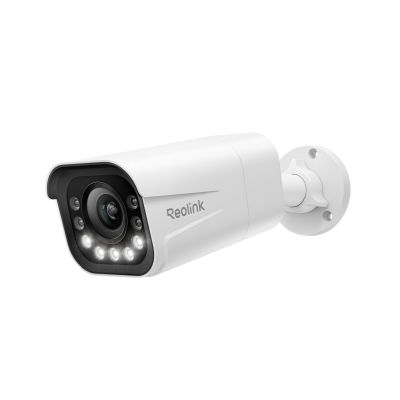
- For detailed fixed monitoring: RLC-811A combines 4K video with 5× optical zoom for entrances, gates, and garages.
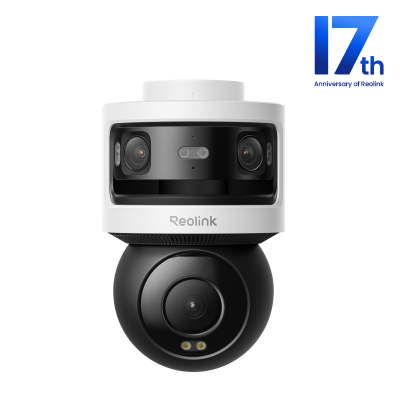
- For flexible large-area coverage: Reolink OMVI 3i PoE combines panoramic viewing with pan-tilt tracking for large open spaces.
- For whole-property security: Reolink RLK16-1200D8-A provides a multi-camera PoE system with NVR-based 24/7 recording for larger homes and businesses.
A PoE camera is an IP security camera that receives power and sends video data through a single Ethernet cable. This simplifies installation and provides a stable wired connection for live view and recording.
PoE security cameras, when paired with NVRs, are commonly used in business and professional surveillance setups. Many advanced models offer simplified installation, 4K UHD video resolution, and long-distance transmission for larger properties.
A PoE camera connects by Ethernet to a PoE NVR, PoE switch, or PoE injector. The same cable carries both electrical power and network data.
The camera can then send video to an NVR, local network, or compatible storage device for live viewing and recording. Reolink supports several PoE camera, switch, router, and NVR connection layouts.
PoE cameras require Ethernet cabling, so installation can take more work than battery or Wi-Fi cameras. You also need a compatible PoE power source, such as a PoE NVR, switch, or injector.
Cable runs should normally stay within the recommended Ethernet distance of about 100 meters (328 feet). Large systems must also account for the PoE switch's total power budget, especially when using higher-power PTZ cameras.
Once cables are installed, moving a PoE camera is also less convenient than relocating a wireless camera.
No. A PoE camera does not always need an NVR. It can connect to a network through a PoE switch or injector and may record to a microSD card or another supported storage option, depending on the model.
An NVR is recommended when you want centralized recording, longer storage, multi-camera management, or continuous 24/7 recording.
Yes, you can connect a PoE camera directly to a router if the router supports PoE. Most home routers do not supply power, so you need a PoE switch or injector to provide electricity and allow the camera to transmit video data.
PoE is usually better for fixed installations that prioritize connection stability and 24/7 recording. The wired Ethernet connection is less affected by Wi-Fi congestion and works well for multi-camera systems.
Wi-Fi cameras are easier to install and reposition because they do not need Ethernet cabling.
A PoE camera captures video, while a PoE NVR records and manages video from multiple cameras.
A PoE NVR with built-in PoE ports can also supply power and network connectivity directly to compatible cameras. Reolink PoE NVRs such as RLN8-410 and RLN16-410 support cameras connected directly to their PoE ports.
No. PoE cameras can record and operate on a local network without an internet connection. With an NVR, you can still view and record footage locally.
Internet access is mainly required for remote viewing, push notifications, email alerts, and other online features. Reolink confirms that PoE cameras and NVRs can continue local recording and viewing without internet, while remote network functions become unavailable.
A standard Ethernet connection can normally run up to 100 meters (328 feet) between network devices. For longer distances, use a properly designed network extension solution such as an additional switch or compatible extender.
Yes. PoE cameras are well suited for continuous 24/7 recording because they receive constant wired power and maintain a stable Ethernet connection. Pairing them with an NVR provides centralized storage for continuous footage.
It depends on the NVR's supported channel count, available PoE ports, bandwidth, and system design. Reolink also supports configurations that use external PoE switches with NVRs, although the exact topology and camera limits vary by NVR model.


Be Prepared, Be Ahead
Never miss Reolink hot deals, news, and updates tailored for you.
Be Prepared, Be Ahead
Never miss Reolink hot deals, news, and updates tailored for you.

Google, Google Play, Google Assistant and related marks and logos are trademarks of Google LLC. Amazon, Alexa and all related logos are trademarks of Amazon.com, Inc. or its affiliates. Mac and Safari are trademarks of Apple Inc. App Store is a service mark of Apple Inc., registered in the U.S. and other countries. Firefox and the Firefox logo are trademarks of the Mozilla Foundation in the U.S. and other countries. Other product and company names mentioned herein may be trademarks of their respective companies.