Your cart is empty.

Cellular security cameras use 4G LTE networks instead of home WiFi to provide remote monitoring in locations without fixed internet access. With battery and solar power options, smart detection, remote live view, local storage, and weather-resistant outdoor designs, Reolink cellular cameras deliver flexible security without relying on WiFi or wired network connections. Ideal for farms, construction sites, cabins, RVs, large properties, and other remote or off-grid locations.
No Product Found
Reolink cellular cameras connect through 4G LTE with a SIM card. This gives you remote access in places where Wi-Fi or wired internet is unavailable.
Selected models, including Go PT Ultra, Go Ranger PT, and TrackMix LTE, offer up to 4K 8MP video. The higher resolution helps you see faces, vehicles, and other important details more clearly.
Battery-powered models can work with compatible Reolink solar panels. This reduces wiring and helps keep cameras running in remote areas with limited access to power.
Selected models support local microSD recording, while smart detection and remote alerts do not inherently require a separate camera subscription. But note that a cellular data plan is still required for LTE connectivity.
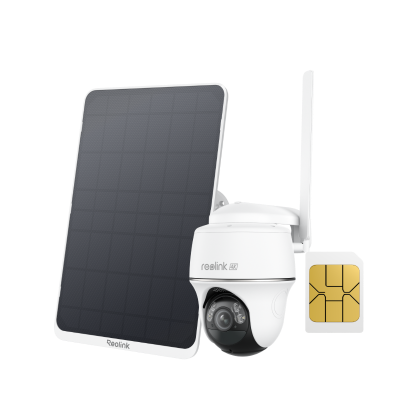
- Choose Go PT Ultra for remote homes and off-grid properties that need 4K video and pan-and-tilt coverage.
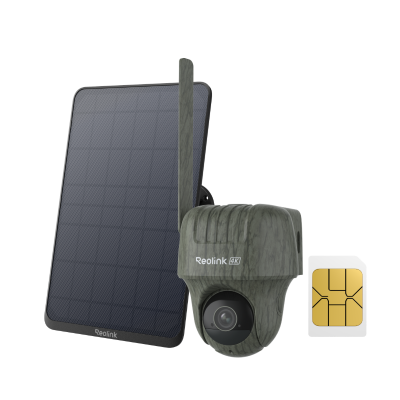
- Choose Go Ranger PT for farms, ranches, and wildlife monitoring with flexible PT viewing and animal detection.
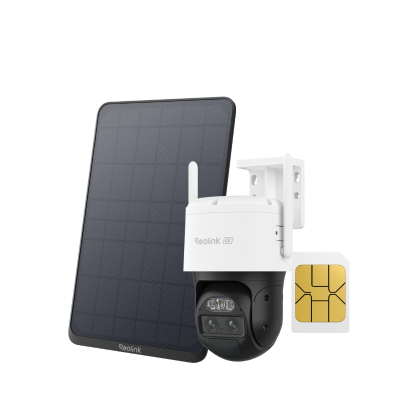
- Choose TrackMix LTE for large areas where dual-view and auto-zoom tracking are useful.
- Choose Duo 2 LTE for wide driveways, gates, or entrances that benefit from 180° coverage.
A cellular security camera uses a SIM card and a mobile network, typically 4G LTE, to send alerts, live video, and remote playback without relying on Wi-Fi or wired internet. It is best for locations such as farms, construction sites, cabins, RVs, and other properties where fixed internet is unavailable.
Cellular cameras still need cellular coverage and an active data plan for remote access. Depending on the model, they may run on a rechargeable battery, solar power, or wired power.
Yes. Cellular security cameras can work without Wi-Fi or wired internet because they connect directly to a cellular network using a SIM card. However, remote viewing, alerts, and other online functions still require cellular coverage and an active mobile data plan. Local recordings saved to a microSD card generally do not use cellular data.
Yes, cellular security cameras typically need a compatible SIM card and an active data plan to connect to a 4G LTE network. The SIM provides network access, while the data plan supports live view, notifications, playback, and other remote functions.
Cellular camera data usage depends mainly on video bitrate and how often you use live view, playback, cloud uploads, and notifications. For many Reolink 4G models, about 2GB of monthly data is recommended for typical use, while some models may need more or less.
For example, at a 2 Mbps main-stream bitrate, 1GB of data provides roughly one hour of live viewing. At a 672 kbps sub-stream bitrate, 1GB can provide about 3.5 hours. Recording directly to a microSD card does not use cellular data.
Not always. Many cellular security cameras can record locally and use smart detection without a separate camera subscription. However, you still need a cellular data plan for remote viewing, alerts, and other LTE-connected features.
Yes, some models can still record locally to a microSD card when cellular service is unavailable. However, you will not be able to view the camera remotely, receive alerts, or access other online features until the cellular connection returns.
- Farms and ranches: Monitor livestock, gates, barns, and remote property boundaries.
- Construction and job sites: Watch equipment and materials where temporary sites lack fixed internet.
- Cabins and remote properties: Keep an eye on vacation homes or vacant land without Wi-Fi.
- RVs, boats, and mobile setups: Add monitoring where cellular service is available but fixed broadband is not.
To install a cellular security camera, activate a compatible SIM and data plan, insert the SIM and microSD card if required, add the camera in the app, test cellular signal at the mounting location, and then mount the camera. If using solar power, position the panel where it can receive sufficient direct sunlight.


Be Prepared, Be Ahead
Never miss Reolink hot deals, news, and updates tailored for you.
Be Prepared, Be Ahead
Never miss Reolink hot deals, news, and updates tailored for you.

Google, Google Play, Google Assistant and related marks and logos are trademarks of Google LLC. Amazon, Alexa and all related logos are trademarks of Amazon.com, Inc. or its affiliates. Mac and Safari are trademarks of Apple Inc. App Store is a service mark of Apple Inc., registered in the U.S. and other countries. Firefox and the Firefox logo are trademarks of the Mozilla Foundation in the U.S. and other countries. Other product and company names mentioned herein may be trademarks of their respective companies.