Security Cameras without Subscription

Filter By

No Product Found

No Monthly Fees for Essential Features

Reolink security cameras provide smart person, vehicle, and animal detection, instant motion alerts, and local recording without mandatory subscription fees. UK homeowners can access these features without paying ongoing charges for basic security monitoring.

Local Storage with Greater Control

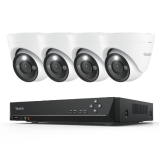
Reolink cameras support local video storage through microSD cards, compatible NVRs, or Home Hubs. Footage can be stored at home rather than relying on a paid cloud plan, making it easier to manage recordings and long-term storage costs.

Reliable Monitoring in UK Weather

With weather-resistant designs on outdoor models, Reolink cameras are built to withstand rain, wind, and changing temperatures. Selected models also feature ColorX full-colour night vision, helping capture details around driveways, gardens, and front entrances during dark UK evenings.

Flexible Installation for Different UK Homes

From terraced houses and flats to detached homes with larger gardens, Reolink offers PoE, Wi-Fi, and battery-powered cameras for different properties. Battery and solar-powered models are particularly useful for garden sheds, garages, and locations where running cables is impractical.

High-Resolution Coverage for Every Property

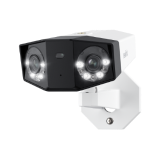
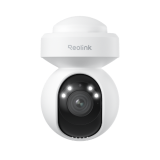
Reolink offers 4K cameras, dual-lens panoramic models, and PTZ cameras with auto-tracking. A wide-angle camera can monitor a driveway or front garden, while optical zoom and tracking are useful for larger properties with distant gates or multiple outdoor areas.
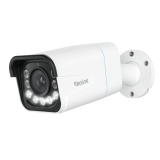
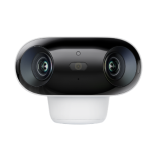
Features Reolink Duo 3 PoE Reolink Altas PT Ultra Reolink Argus 4 Pro
Resolution 16MP 4K 8MP 4K 8MP
Connection PoE Ethernet Dual-Band Wi-Fi 6 Dual-Band Wi-Fi 6
Power Source PoE Battery / Solar Battery / Solar
Coverage 180° Panoramic 355° Pan, 90° Tilt 180° Panoramic
Night Vision IR & Spotlight Colour ColorX Full-Colour Night Vision with Spotlight ColorX Full-Colour Night Vision
Recording 24/7 & Motion-Triggered Continuous & Motion-Triggered Motion-Triggered
Local Storage microSD / Compatible NVR microSD / Compatible Home Hub microSD / Compatible Home Hub
Monthly Subscription Not Required Not Required Not Required
Best For Driveways and front gardens needing permanent surveillance Large gardens and detached garages without wired power Terraced houses and gardens needing wide coverage without cabling

What Cameras are Good with No Subscription?

Reolink is a reliable choice for homeowners looking for home security cameras in the UK without subscription fees. Its cameras support local recording through microSD cards, NVRs, or Home Hubs, depending on the model, allowing users to manage and access footage without relying on a paid cloud storage service.

What to Consider When Choosing the Best Outdoor Security Camera without Subscription?

## How to Choose the Best Security Camera Without Subscription in the UK

Choosing the best outdoor camera without subscription involves more than avoiding monthly fees. UK homeowners should consider local storage, video quality, installation requirements, and weather resistance.
Local Storage

Local storage is essential for security cameras without subscription fees. Most models use microSD cards or Network Video Recorders (NVRs), allowing you to save footage without paying for cloud storage.

MicroSD cards are suitable for individual cameras, while NVRs offer larger storage capacities and centralized recording for multiple cameras. If you need 24/7 footage of your driveway or front entrance, consider a higher-capacity storage option. Recording resolution, frame rate, and daily activity will affect how quickly storage fills up.

Video Quality

A resolution of 1080p is sufficient for basic monitoring, but 2K and 4K cameras capture more detail, which can be useful for identifying visitors, vehicles, or activity around your property.

Night vision is particularly important in the UK, where daylight hours are shorter during autumn and winter. Infrared night vision works in darkness, while full-colour night vision can help distinguish clothing and vehicle colours when sufficient light is available. For poorly lit driveways, side entrances, or back gardens, consider the camera's low-light performance alongside its resolution.

Ease of Installation

Installation requirements vary depending on your property. Battery-powered cameras are convenient for rented homes, terraced houses, and locations where running cables is difficult. Plug-in Wi-Fi cameras avoid Ethernet cabling but still require a nearby power source.

PoE cameras need Ethernet wiring but provide a stable connection and continuous power, making them suitable for permanent installations. Before drilling into exterior walls, check cable routes, mounting surfaces, and any restrictions that may apply to rented or listed properties.

Weatherproofing

Outdoor security cameras in the UK need to withstand frequent rain, wind, and changing temperatures. Look for models with an IP65 or IP66 weather-resistance rating or higher, and check the manufacturer's specified operating temperature range.

Placement also matters. Cameras installed on exposed exterior walls, above garages, or near garden entrances may face more direct rain and wind than those mounted beneath roof overhangs. Choose a model rated for the conditions at your installation location.

Solar Panel Compatibility

Solar-powered cameras are useful for gardens, detached garages, sheds, and other areas without convenient power outlets. A compatible solar panel can help recharge a battery-powered camera and reduce the need for manual charging.

However, shorter daylight hours and overcast conditions during UK winters can reduce solar charging performance. When choosing the best solar-powered security camera without subscription, consider panel placement, daily sunlight exposure, battery capacity, and recording frequency. Cameras with continuous recording generally have higher power requirements than motion-triggered models.

Wired vs. Wireless Security Cameras without Subscription: Which One to Choose?

Your specific security needs determine whether wired or wireless system you should use because subscription plans do not matter in this scenario. You should weigh the benefits of each camera type when making your selection.

Installation Complexity: Wireless cameras win for ease. You don't need to drill holes or run cables, which suits anyone avoiding complex setups. Wired cameras demand more work but deliver a steady connection once installed.

Reliability: Wired cameras stay dependable with a direct link to power and your network. They dodge issues like Wi-Fi dropouts or interference that can plague wireless models, especially over long distances.

Power Source: Wireless cameras often use batteries you recharge or replace now and then. Some tie into solar panels for nonstop power, ideal for off-grid spots. Wired cameras draw power through cables, ensuring they never run dry but limiting where you can place them.

Flexibility in Placement: Wireless cameras go anywhere your Wi-Fi reaches, perfect for renters or shifting needs. Wired cameras stick to where cables can stretch, so you'll need to plan their spots carefully.

How to Install and Set Up Home Security Cameras With No Subscription?

Installing and setting up a security camera without a subscription isn't hard. Follow these tips to get it running smoothly:

1. Choose the Right Location: Pick a spot with a clear view of your target area, like a doorway or yard. For outdoor cameras, tuck them under eaves to shield them from rain. Aim for a height that catches faces but stays out of reach—too low invites tampering, too high misses details.

2. Ensure Proper Power Supply: Wired cameras need a nearby outlet or safe cable routing. Wireless ones rely on batteries, so check their charge and consider solar panels if you want less upkeep. Set a reminder to monitor your battery levels.

3. Connect to the Network: Wireless cameras need a strong Wi-Fi signal, so test the range and add an extender if the connection fades. Wired cameras link up with Ethernet cables. Secure your network with a tough password to block hackers.

4. Configure Settings: Use the camera's app or software to tweak motion detection, recording times, and alerts. Set motion zones to skip triggers from cars or pets and enable phone notifications for instant updates.

5. Test the Camera: Run a test to check the view and video quality. Record a clip, watch it back, and adjust the angle or settings if the shot's off or blurry.

Is there a Security Camera that Does Not Need a Subscription?

Yes, plenty of security cameras skip the subscription requirement. They use local storage like SD cards or NVRs, letting you save footage without monthly fees. For example, Reolink cameras don't require any subscription fees for local storage, high-resolution footage, and AI features.

What is the Best Home Security System with Cameras No Monthly Fee?

The top pick varies by need, but brands like Reolink stand out. Reolink no-subscription cameras offer local storage and solid AI features without forcing you into a subscription.

Can You Use Reolink Cameras without a Subscription?

Absolutely! Reolink cameras work flawlessly without a subscription. They support local storage through SD cards or NVRs, giving you full access to advanced features at no extra cost. Cloud plans are available exclusively for battery-powered models and are limited to certain countries.

For example, the Reolink OMVI 3i WiFi offers smart detection, flexible local storage, and other security features without requiring a paid subscription.