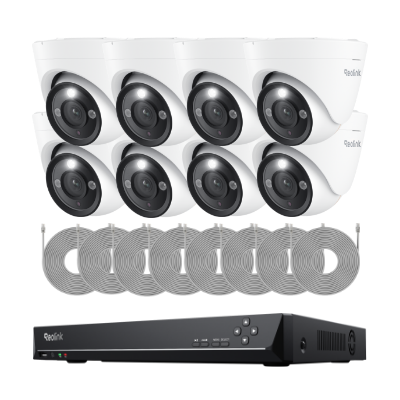
NVR Security System

Fliter By

No Product Found

Reolink NVR camera systems offer 24/7 recording, high-resolution video, and centralised security management for UK homes and businesses. With reliable PoE connectivity, expandable local storage, and smart detection, they provide flexible surveillance solutions for different property sizes and security needs.

Reliable PoE Connection for UK Properties

Many traditional UK homes have thick brick or stone walls that can weaken Wi-Fi signals. Reolink PoE NVR systems use Ethernet cables to transmit power and video, providing a stable connection for cameras installed around front doors, driveways, garages, and gardens.

24/7 Local Recording Without Monthly Fees

Reolink NVR systems support continuous recording and store footage locally on hard drives without requiring a monthly subscription. With expandable storage options, users can retain recordings from multiple cameras for longer periods, depending on their storage capacity and recording settings.

High-Resolution Video and Smart Detection

Reolink NVR systems support compatible cameras with resolutions including 4K 8MP, 12MP, and 16MP, helping capture details around front doors, driveways, and business entrances. Smart person, vehicle, and animal detection on supported cameras also helps reduce false alerts and makes it easier to find important recordings.

Expandable Coverage for Different Property Sizes

Reolink offers NVR CCTV systems with different channel capacities, allowing users to connect multiple compatible cameras and expand their coverage when needed. Smaller systems suit terraced houses and semi-detached homes, while larger systems can cover detached properties, shops, offices, and commercial premises.

Remote Monitoring from Anywhere

With the Reolink App and Client, users can view live feeds, receive motion alerts, and review recordings remotely. Whether checking your home while away or monitoring a business outside working hours, you can manage multiple cameras from your phone or computer.
Why is NVR Used in CCTV?

NVRs are used in CCTV systems to provide reliable, long-term video recording across multiple cameras. Unlike relying on individual camera storage, an NVR keeps recordings in one place, making it easier to retrieve footage after an incident, manage storage capacity, and maintain continuous surveillance across a property.

What Should You Look for in the Best PoE NVR Security Camera System?

Camera Resolution: Choose 4K 8MP, 12MP, or 16MP cameras based on the level of detail needed. Check the NVR's maximum supported resolution, as not all models support 16MP cameras.

Channel Count: An 8-channel NVR suits systems with up to eight compatible cameras, while 16-channel models allow greater coverage. Check both the channel limit and PoE port count, as they are not necessarily the same.

Storage Capacity: A 2TB HDD may be sufficient for a small system, while 4TB or larger capacities are worth considering for more cameras or longer recording periods. Compare retention times using camera count, bitrate, and recording mode.

Remote Access: Look for live viewing, multi-camera playback, and recording downloads through a mobile app or PC. Check whether remote playback and event search are supported by your chosen NVR.

Smart Detection: Choose cameras with person and vehicle detection for entrances and driveways. Check whether the NVR supports filtering recordings by detection type, rather than requiring manual review of the timeline.

Local Storage and Subscription: Confirm whether an HDD is included, the maximum supported storage expansion, and whether continuous recording works without Internet. Check that local recording and playback do not require a subscription.

Is an NVR Better Than a DVR?

For most modern security setups, yes. An NVR works with digital IP cameras, supports higher resolutions, and allows easier remote viewing than traditional DVR systems.

A DVR uses analog cameras and coaxial cables, while an NVR is better suited for PoE cameras, smart detection, and flexible installation.

Do NVR Security Systems Need Internet?

No. An NVR security system can record video locally without internet as long as the cameras are connected to the recorder.

Internet is only needed for remote viewing, push notifications, firmware updates, or accessing footage from your phone when you are away.

How to Connect NVR to CCTV?

To connect CCTV cameras to a Reolink NVR, connect the cameras to the recorder, complete the initial setup, and add the cameras through the NVR's interface. The connection method depends on whether you use PoE or Wi-Fi cameras.

Step 1: Connect the Cameras to the NVR

For PoE cameras, connect each camera directly to a PoE port on the NVR using an Ethernet cable. The cable carries both power and video data. For compatible Wi-Fi cameras, connect the cameras and NVR to the same local network and provide separate power where required.

Step 2: Connect the NVR to a Monitor and Router

Connect the NVR to a monitor using HDMI or VGA, and attach a USB mouse. Connect the NVR's LAN port to your router with an Ethernet cable, then power on the recorder and complete the initial setup. Follow the Reolink PoE NVR initial setup guide for detailed instructions.

Step 3: Add Cameras to the NVR

On the NVR's connected monitor, go to Settings > Channel and click the + icon in an available channel. Select the camera from the detected devices and enter its password if prompted. Cameras included in a compatible Reolink NVR kit may connect automatically.

For detailed instructions, see How to Add Reolink Cameras to Reolink NVR. If you use a Wi-Fi NVR, refer to the Reolink Wi-Fi NVR camera setup guide.

Step 4: Check Live View and Recording

Once the cameras appear on the NVR's live view, check their video feeds and configure the recording schedule. You can also add the NVR to the Reolink App to access live video and recordings remotely.

What is the Difference between an NVR CCTV System and an IP camera?

An IP camera is a standalone network camera that captures and transmits video, while an NVR CCTV system connects multiple IP cameras to a recorder for centralised recording and management. An IP camera can monitor a single area and store footage locally if supported, whereas an NVR system is better suited to monitoring multiple locations with continuous recording and larger storage capacity.

For example, a single IP camera may be sufficient for a front door or garage, while an NVR CCTV system is more practical for covering entrances, driveways, gardens, and other areas of a property.

Where Are NVR CCTV Systems Best Used?

NVR camera systems are suitable for homes and businesses that need continuous recording across multiple locations. Common applications include:

Detached and Semi-Detached Houses: Use 4–8 cameras to monitor front entrances, driveways, garages, gardens, and side access points. An 8-channel NVR also leaves room for future expansion.

Retail Shops and Supermarkets: Position cameras at entrances, checkout counters, aisles, and stockrooms to monitor customer activity, investigate incidents, and review footage from different areas.

Offices and Commercial Buildings: Cover reception areas, corridors, stairwells, and building entrances. A 16-channel NVR can accommodate cameras across multiple floors or departments.

Warehouses and Industrial Sites: Monitor loading bays, storage areas, delivery entrances, and perimeter access points. Continuous recording helps review deliveries, vehicle movements, and incidents outside working hours.

Car Parks and Large Driveways: Combine wide-angle cameras for general coverage with higher-resolution or optical zoom cameras at vehicle entrances to capture more detail at key locations.

Best For

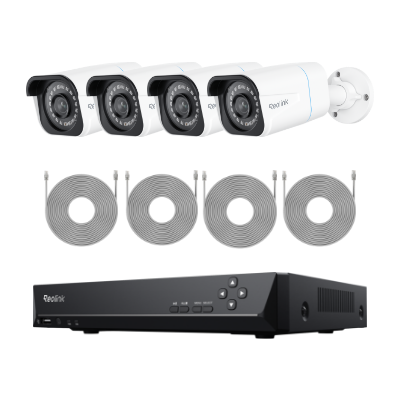
Budget-friendly 4K entry setup
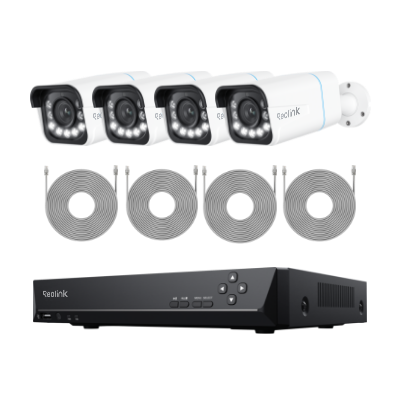
Long driveways, entrances & detailed zoom monitoring
Large properties needing multi-point 12MP coverage

Subscription Required

No
No
No

NVR Channels & Storage

8-Channel NVR (Includes 2TB HDD)
16-Channel NVR (Includes 4TB HDD)

Recording Mode

24/7 continuous, scheduled, & motion

Power & Connection

Power over Ethernet (PoE / Plug & Play)

Resolution

4K Ultra HD (3840 × 2160)
12MP Ultra HD (4512 × 2512)

Night Vision

Black & White IR night vision (100 ft)
Color night vision (Spotlights) + IR (100 ft)

Smart Detection

Person / Vehicle / Animal detection

Zoom Capability

Digital zoom
5× Optical Zoom + Digital zoom
Digital zoom

Weather Resistance

IP66 weatherproof
IP67 weatherproof
IP67 weatherproof

Key Advantage

Wire-free local security with no monthly fee
Reliable PoE recording with 5× optical zoom
Centralized local recording for multi-camera 24/7 security