Your cart is empty.

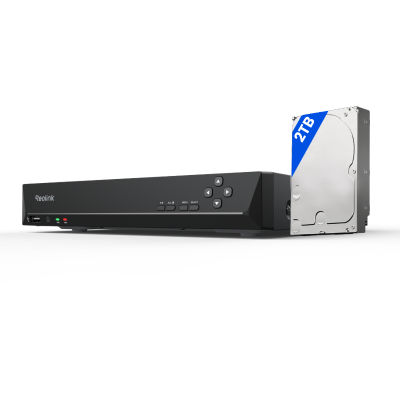
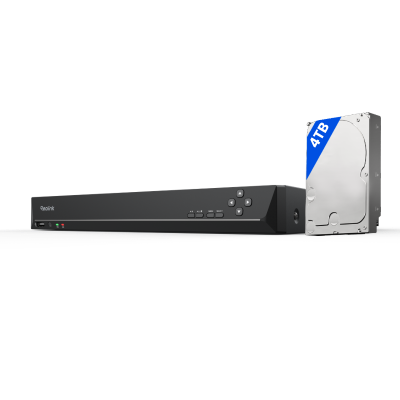
Discover Reolink NVR systems designed to deliver reliable video surveillance for homes and businesses across the UK. With support for 4, 8, or 16 channels, high-capacity local storage, AI-powered event detection, and compatibility with multiple camera types, Reolink NVRs provide a scalable CCTV solution for everything from UK homes and flats to shops, offices, and other commercial properties.
No Product Found
Unlike some cloud-based security systems that charge recurring subscription fees, Reolink NVRs store footage locally on a hard drive. This allows UK homeowners and businesses to enjoy continuous recording without ongoing costs, making it a more affordable long-term security solution.
Many UK homes, especially older Victorian and Edwardian properties, feature thick brick or stone walls that can weaken Wi-Fi signals. Reolink PoE NVR systems connect cameras directly via Ethernet cables, providing a stable connection and reliable recording regardless of Wi-Fi performance.
The UK is known for frequent rain, strong winds, fog, and long winter nights. When paired with weather-resistant Reolink cameras, an NVR system delivers reliable 24/7 recording in all seasons. High-resolution video and advanced night vision help maintain clear footage even in challenging weather and low-light conditions.
Reolink NVR systems use AI-powered detection to distinguish between people, vehicles, and animals. This helps reduce false alarms caused by moving branches, heavy rain, or changing lighting conditions, allowing users to focus on events that truly matter.
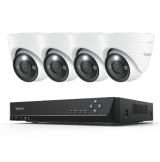
For example, the RLK8-1200D4-A combines an NVR with smart detection cameras, making it a practical option for users who want centralised recording and more accurate event alerts in one system.
Whether you're securing a terraced house, detached home, retail shop, warehouse, or office, Reolink offers NVRs with multiple channel options to suit different property sizes. You can easily add more compatible cameras as your security needs grow.
Whether you're at work, on holiday, or simply away from home, the Reolink app allows you to view live footage, review recordings, and receive alerts directly on your smartphone. This remote access makes it easy to stay connected to your property wherever you are.
A Network Video Recorder, or NVR, is the device that records videos of special cameras called IP cameras. The cameras are digital and transmit videos over the internet or by using a local network. The earlier machines, also known as DVRs, use different cameras that are not digital. NVRs are superior since they provide clearer videos, unlimited options.
NVRs are used by people as a way to monitor objects such as a shop, home, or park. The NVR is connected to a network; thus, it is able to take care of the cameras in numerous locations. This is also good in ensuring that places are safe.
There are different kinds of NVR systems. You pick one based on how you want to place your cameras and what your area is like. The two main kinds are PoE NVR systems and Wireless NVR systems. Each connects to cameras in its own way.
- PoE NVR systems: PoE means Power over Ethernet. Only one cable is used in this system to supply power and deliver video to the cameras. It translates into a reduced number of cables to contend with. An example is in a small office where the setup is easy since the number of wires is limited. It is useful where it is difficult to add many wires or when it is too expensive.
- WiFi NVR systems: WiFi NVR systems connect to cameras wirelessly through a Wi-Fi network, eliminating the need for Ethernet cables between the NVR and cameras. They offer greater flexibility in camera placement, making them ideal for homes or locations where running network cables is difficult. As long as cameras are within Wi-Fi range and have access to a power source, they can be installed in a variety of locations. However, system performance depends on a stable and strong Wi-Fi connection.
NVRs have many tools that help you watch over places. These tools let you record, look at, and handle videos in ways that work for you. Here are some important ones that make NVRs a smart choice for safety.
- 24/7 recording: NVRs can record videos day and night without stopping. This catches everything that happens. For example, a shop owner can check at any time to see if something went wrong. It makes sure nothing gets missed. The NVR saves all the videos on its storage for later.
- Multiple viewing on one screen: An NVR lets you watch videos from lots of cameras on one screen together. This helps guards keep an eye on different places without switching screens. For example, a guard can see the front door, the parking lot, and the back door all at once. It saves time and spots problems fast.
- Backup/Download recordings: NVRs let you save videos to local storage devices such as hard drives or MicroSD cards. This is useful if you need to share them with the police or keep them as proof. For example, if something bad happens, you can easily access to the footage.
- Motion detection recording: You can also set motion detection, which means the NVR records only when it sees something move. It saves space by not recording when nothing's happening. For example, if someone walks by at night, the NVR starts recording. Later, you can check just the parts with action, which speeds things up. It's a clever way to focus on what matters.
- Expandable storage: NVRs let you add more space for videos if you need it. You can expand hard drives or use other storage options. For instance, if you start with four cameras and later get ten, the NVR can handle more video with extra space. This keeps the system useful even if you change things.
- Central management: NVR will work as the main hub of all your cameras. You are allowed to alter settings, view the live videos, or review the saved ones in the same place. This enables the system to be easy to operate. Not only the cameras that you have, but even the number of cameras does not matter because you control everything through the NVR, and it saves a lot of time and energy.
DVRs and NVRs both record videos to watch over places, but they work differently. Here are the main ways they're not the same:
- Cameras: DVRs use old-style cameras that send videos through special cables. NVRs use new digital cameras that send videos through internet cables or Wi-Fi.
- Video Quality: NVRs with digital cameras give sharper videos. DVRs with old cameras give less clear images.
- Setup: DVRs need separate cables for power and video, which can get messy. NVRs, especially PoE ones, use one cable for both, making it easier.
- Adding Cameras: It's simpler to add cameras to an NVR—just connect them to the network. DVRs might need more parts or cables for extra cameras.
- Extras: NVRs have more tools, like watching videos online or getting alerts when something moves, because of the digital cameras. DVRs have fewer tools due to the old cameras.
A Network Attached Storage or NAS is a server device that stores all types of data, such as video or documents, on a network. An NVR supports only videos from special cameras. A NAS can support video storage; however, it lacks the tools of motion detection, camera control, and other features of the NVRs. An NVR is designed to observe locations, and thus it is more suitable for the work of security.
Yes. A Wi-Fi camera can be connected to a compatible NVR as long as both devices are on the same network and support each other. For example, Reolink Wi-Fi cameras can work with compatible Reolink NVRs, allowing footage to be recorded and stored locally on the NVR for centralized management and longer recording.
For most UK homeowners and businesses, an NVR CCTV system provides more reliable security than a wireless CCTV system. NVRs support continuous recording, larger storage capacities, and stable camera connections that are not dependent on Wi-Fi signal strength.
While wireless CCTV systems are easier to install and work well for smaller properties, NVR systems are generally better suited for larger homes, business premises, and users who want professional-grade surveillance with fewer connection issues.
Yes, an NVR can work without an internet connection. As long as the NVR is connected to compatible cameras and has a power supply, it can continue recording footage and storing it locally on its hard drive. However, without internet access, you won't be able to view live feeds remotely, receive push notifications, or access recordings through a mobile app when away from the property.
Once the internet connection is restored, these remote features will become available again while your locally stored footage remains intact.
Hardware Connections: Install a surveillance hard drive if needed, connect the NVR to a monitor and mouse, and connect it to your router and power supply. Then connect your IP cameras to the NVR's PoE ports or a PoE switch using Ethernet cables.
Initial Software Configuration: Follow the startup wizard to create an admin password and configure the date, time, and network settings. Select and format the hard drive, and enable auto-overwrite if you want continuous recording when the storage is full.
Add Cameras and Enable Remote Viewing: Open the camera management menu to discover and add cameras on the network. Check the live feeds and recording status to confirm everything is working correctly, then configure remote viewing if needed.


Be Prepared, Be Ahead
Never miss Reolink hot deals, news, and updates tailored for you.
Be Prepared, Be Ahead
Never miss Reolink hot deals, news, and updates tailored for you.

Google, Google Play, Google Assistant and related marks and logos are trademarks of Google LLC. Amazon, Alexa and all related logos are trademarks of Amazon.com, Inc. or its affiliates. Mac and Safari are trademarks of Apple Inc. App Store is a service mark of Apple Inc., registered in the U.S. and other countries. Firefox and the Firefox logo are trademarks of the Mozilla Foundation in the U.S. and other countries. Other product and company names mentioned herein may be trademarks of their respective companies.