Your cart is empty.

Reolink WiFi security cameras provide reliable indoor and outdoor protection for homes and businesses. Enjoy crystal-clear HD video, night vision, motion detection notifications, and dual-band Wi-Fi for seamless connectivity. With these WiFi CCTV cameras, you can monitor your property 24/7 and ensure complete security wherever you are.
Series/Type
Scenarios
Power Options
Network connection
Resolution
Lens
Night Vision
Light
Weatherproof
Color
Compatibility
Special Features







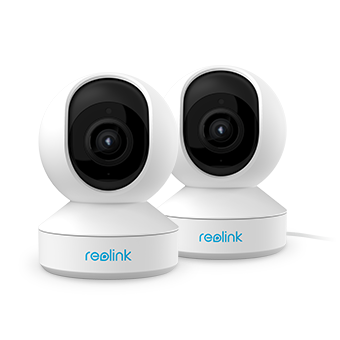
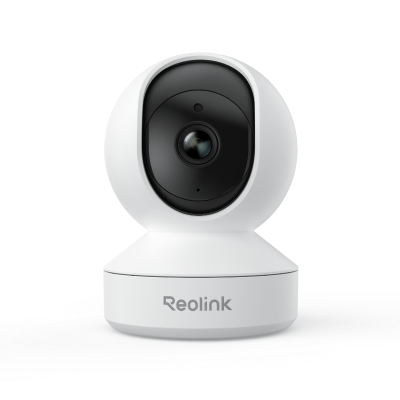
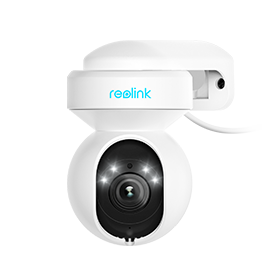
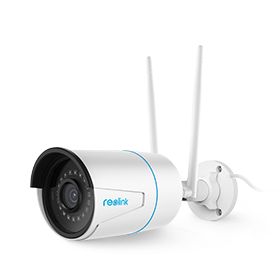
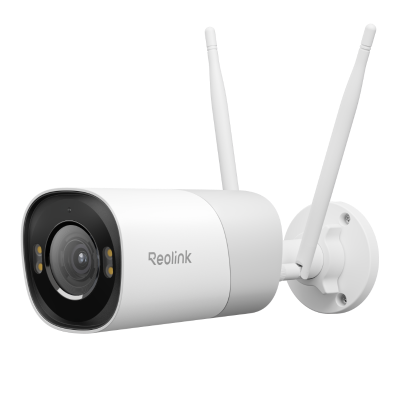
Easy Installation: Designed for quick setup without complicated wiring. Simply place or mount the camera where you need it, making it a great option for both renters and homeowners.
High-Definition Video Quality: Capture every detail with sharp 2K or 4K resolution, ensuring clear and reliable footage for monitoring, playback, and evidence.
Smart AI Detection: Advanced detection technology can identify people, vehicles, and other movements, helping reduce false alarms and ensuring you only get alerts that matter.
Remote Monitoring Anytime, Anywhere: Stay connected to your home through real-time alerts and live viewing via the Reolink app, giving you full control no matter where you are.
Smart Home Integration: Seamlessly works with voice assistants like Alexa and Google Assistant, allowing convenient hands-free control and smarter home automation.
Enhanced Privacy Protection: Built with advanced encryption and customizable privacy settings to keep your data secure and give you peace of mind.
Flexible Storage Options: Offers local storage via microSD card, NVR, Home Hub and FTP servers without subscription, along with optional cloud services for added flexibility and backup.
The market is packed with shiny boxes that promise sharp video and smart alerts. A little homework prevents buyer's remorse. Keep these factors in mind before you click "buy" on the best WiFi security camera for your space.
Standalone vs. system: Decide if you need just one lens to watch a single door or a multi-unit kit that records to a shared hub. A WiFi security camera system often brings a unified app, single cloud plan, and neat storage, while a standalone device may suit apartments or one-room offices.
2.4 GHz vs. 5 GHz Wi-Fi bands: Most units use 2.4 GHz because it reaches farther and passes through walls better. Yet 5 GHz can carry more data and reduce crowded-network lag.
Power supply: Your choices are wired, battery, or solar. Plug-in designs stream nonstop and support features like 24/7 recording. For example, a floodlight camera like the Elite Floodlight WiFi combines constant power with built-in lighting, making it ideal for outdoor areas that need both visibility and security.
Resolution: 1080p (Full HD) has become the baseline. Moving to 2K or 4K adds detail—handy for license plates or small facial clues.
Ease of installation: Look for clear instructions, including mounting hardware and a drill guide. A swivel mount helps you aim the lens without reinstalling it. Apps that walk you through QR-code pairing save time and frustration.
Smart features: Motion detection filters events so the camera records only when something moves, saving data plans. Two-way audio lets you talk to visitors or warn prowlers. Smart home integration allows routines such as turning on porch lights when the camera senses motion.
WiFi Outdoor security cameras fight wind, rain, and curious birds, so a sound installation makes the difference between crisp video and a blurred mess. Use these steps as your field checklist:
Plan the coverage zone first: Walk around the area and picture the view you need. Doors, gates, and first-floor windows are prime targets. Aim the camera faces away from the direct sun to avoid glare.
Test Wi-Fi strength on location: Stand where you plan to mount, open a speed-test site on your phone, and check signal strength. If numbers are weak, add a Wi-Fi extender or move the router before drilling holes.
Pick the right height and angle: Mount the camera 8–10 feet high. That height is hard to reach for tampering, yet low enough for clear faces. Tilt the lens slightly downward, covering ground to horizon without large blind spots.
Use weatherproof mounts and seals: Outdoor brackets should be metal or UV-resistant plastic. Run power cables through the wall when possible and seal entry points with silicone to block moisture and insects.
Secure wires and panels: Staple or clip the power lead along trim, and hide solar panel cords behind downspouts. Loose cables invite wear and signal thieves that expensive gear is nearby.
Most "wireless" models are wire-free only for data. They still need electricity. You have three power paths: a standard wall outlet, a rechargeable battery pack, or a small solar panel that tops up the battery. Pick the option that suits the camera's location and how often you want to climb a ladder.
Yes. The router assigns an address to the camera and passes its video to your phone. Without a router, a camera cannot join the network or connect to cloud services. Some travel cameras create their own mini-hotspot for direct phone pairing—handy on road trips—but at home, you will almost always use your main router.
They can record locally—say, to a micro-SD card—even when the internet drops. Yet you lose alerts, live streaming off-site, and cloud backup during the outage. For full protection, keep a stable internet plan or choose a hybrid 4G/LTE camera that switches to cellular data when Wi-Fi fails.
In most cases, the Wi-Fi camera can be placed from the router within 30ft (for a stronger signal). The actual range will vary depending on a number of factors such as the thickness of walls, obstacles inside the house, and the location of the router.
Yes, WiFi cameras rely on the internet to transmit video footage and receive commands or alerts through a mobile app or web interface. This connection allows you to access live streams, recordings, and remote control features from anywhere with internet access.
Without the internet, you can only look at video footage locally and sacrifice above advanced features.
Reolink Plug-in Wi-Fi cameras are typically powered by power adapters,it can be powered by a 12V DC adapter,for most E1 series WI-Fi Camera,it can be powered by a 5V DC adapter. Reolink also offers battery-powered WiFi cameras, which provide a completely wire-free setup and can be paired with solar panels for continuous, low-maintenance operation.
The process for connecting a security camera to Wi-Fi may vary by manufacturer. Here we take Reolink WiFi camera as the example:
1. Download the Reolink app from the Play Store or App Store. Open the app and tap the "+" button at the top right corner.
2. Scan the QR code on the camera using your smartphone.
3. Select "Choose Wi-Fi Connection" from the options. Follow the prompts, and once you hear the voice prompt from the camera, tap Next.
4. Select your Wi-Fi network and enter the credentials. A QR code will appear on the app; scan it with the camera lens. When you hear a beep, tap Next.
5. Once you hear "Connection to the router succeeded," tap Next. Create a login password and name your camera to complete the setup.
WiFi Cameras specifically refer to cameras that use a Wi-Fi connection to transmit video and allow remote access. While they are “wireless” in terms of data transmission, many still require a power cable unless they are battery-powered or solar-powered.
Wireless Cameras is a broader term that includes any cameras capable of transmitting video without cables.


Be Prepared, Be Ahead
Never miss Reolink hot deals, news, and updates tailored for you.
Be Prepared, Be Ahead
Never miss Reolink hot deals, news, and updates tailored for you.



Google, Google Play, Google Assistant and related marks and logos are trademarks of Google LLC. Amazon, Alexa and all related logos are trademarks of Amazon.com, Inc. or its affiliates. Mac and Safari are trademarks of Apple Inc. App Store is a service mark of Apple Inc., registered in the U.S. and other countries. Firefox and the Firefox logo are trademarks of the Mozilla Foundation in the U.S. and other countries. Other product and company names mentioned herein may be trademarks of their respective companies.